
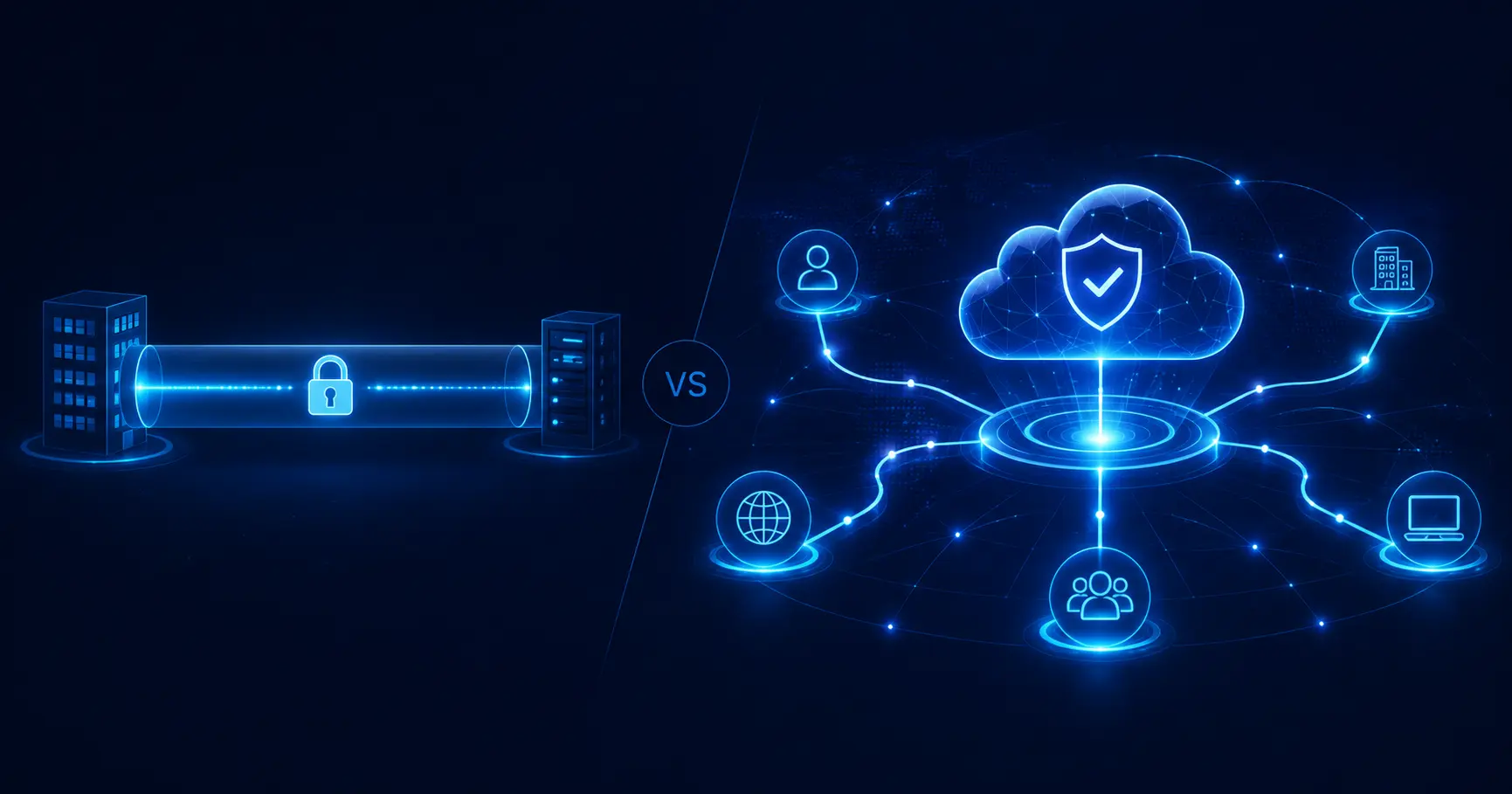
NaaS vs VPN: Security, performance, and cost comparison for enterprise decision makers
NaaS and VPN solve the same fundamental problem: secure network access. But they use radically different architectures, security models, and cost structures. NaaS delivers enterprise networking as a cloud-managed service with built-in zero-trust controls, while VPNs create encrypted tunnels that break down at scale. This comparison gives CTOs and network architects a decision framework to evaluate which model fits their infrastructure, security posture, and growth plans.
NaaS vs VPN: Core differences at a glance
NaaS is a cloud-managed networking service that replaces hardware with software-defined controls, while a VPN is a point-to-point encrypted tunnel that still requires infrastructure and manual configuration.
NaaS vs VPN is not just a comparison between two access technologies. It is a comparison between two different network operating models. VPN was designed to extend a private network through an encrypted tunnel. NaaS, or Network as a Service, delivers network connectivity, access control, security, and management as a cloud-managed service.
A VPN typically depends on VPN concentrators, gateways, IPsec or SSL VPN protocols, firewall rules, certificates, routing configuration, and user provisioning. It can work well for small teams or simple remote access, but it becomes harder to manage when an enterprise grows across cloud workloads, remote users, partners, customer environments, and multiple sites.
NaaS replaces much of that hardware and manual configuration with a software-defined control plane. Instead of building and maintaining the network infrastructure internally, the enterprise consumes networking through a subscription model. This can include secure access, policy-based routing, segmentation, monitoring, and centralized management.
Table 1: NaaS vs VPN core comparison
| Dimension | NaaS | VPN |
| Delivery model | Cloud-managed service | Self-managed or appliance-based tunnel |
| Security model | Zero-trust, identity-based access | Perimeter security after tunnel authentication |
| Scalability | Software-defined and horizontally scalable | Limited by VPN concentrator and gateway capacity |
| Management | Centralized policy control | Manual configuration across users, sites, and appliances |
| Cost model | Subscription model and predictable OPEX | CAPEX for hardware plus ongoing maintenance |
| Latency | Optimized through distributed routing and PoPs | Often affected by gateway bottlenecks and backhaul |
| Zero-trust support | Native or integrated | Usually requires additional tooling |
| Hardware required | Minimal or none for customers | VPN appliances, gateways, firewalls, or concentrators |
For enterprise IT leaders, the core question is not whether VPN still works. It often does. The question is whether VPN still supports the organization’s security model, cloud strategy, operational scale, and growth rate.
What is NaaS, or Network as a Service?
NaaS, or Network as a Service, is a cloud-managed model for delivering network connectivity, access, routing, and security without forcing the enterprise to own and operate every part of the infrastructure. It shifts networking from a hardware-heavy model to a software-defined service model.
A managed NaaS solution can replace or reduce dependence on:
- VPN appliances,
- VPN concentrators,
- MPLS circuits,
- manual firewall configuration,
- site-to-site network projects,
- customer-specific network setups,
- fragmented remote access tooling.
In a NaaS model, users, devices, sites, applications, and cloud workloads connect through policy-based access. The network is managed through a central control plane, while secure connectivity is delivered through distributed infrastructure.
Webellian delivers managed NaaS services as part of its enterprise networking portfolio, including delivery based on the NetFoundry platform. This matters because a managed NaaS provider can design, deploy, monitor, and operate the network service instead of leaving internal IT teams to build every connection manually.
What is a VPN and how does it work?
A VPN, or Virtual Private Network, creates an encrypted tunnel between a user, device, branch, or site and a private network. Common models include remote access VPNs for employees and site-to-site VPNs for connecting offices, data centers, or cloud environments.
Most enterprise VPNs use IPsec or SSL VPN protocols. A user authenticates, establishes a tunnel, and receives access to the network through a VPN gateway or VPN concentrator. In many environments, the VPN then allows broad internal network visibility unless additional segmentation and access controls are configured separately.
VPNs remain useful because they are familiar, widely supported, and relatively simple for small environments. They can be enough for a single-site organization, a small group of remote workers, or a temporary access project.
The limitation is that VPN architecture was not designed for cloud-first, remote-first, multi-site enterprise networking. As the number of users, applications, locations, vendors, and cloud services grows, VPN management becomes more complex and less aligned with zero-trust security expectations.
The fundamental architectural divide
The fundamental architectural divide is simple: VPN extends the old perimeter, while NaaS replaces the perimeter with software-defined, policy-based connectivity.
A VPN usually follows a hub-and-spoke model:
- user connects to VPN gateway,
- traffic enters the corporate network,
- access is often controlled at the network level,
- cloud-bound traffic may travel through a central location,
- scaling requires more gateway capacity and manual rules.
NaaS follows a software-defined model:
- user, device, or application connects through identity-based policy,
- access is granted per app, service, or network segment,
- traffic can route through distributed Points of Presence,
- policies are managed centrally,
- scaling does not require replacing customer-owned VPN hardware.
This difference becomes critical when the network must support 100, 500, or 1000+ endpoints, cloud workloads, remote teams, customer integrations, and compliance-sensitive environments.
For a broader comparison with older enterprise WAN models, see Webellian’s NaaS vs MPLS comparison.
Security model comparison: Zero trust vs perimeter defense
NaaS enforces zero-trust access at the application level by authenticating every user, device, and connection, while VPNs often grant broad network access after tunnel authentication.
Security is the most important difference in the NaaS vs VPN decision. A VPN is built around perimeter security. Once a user authenticates and enters the tunnel, they are often treated as trusted inside the network unless separate controls are added. This creates risk because attackers who compromise VPN credentials may gain broad visibility into internal systems.
NaaS aligns more naturally with zero trust network access, or ZTNA. Instead of trusting the tunnel, NaaS verifies identity, device posture, policy, and context before allowing access. Access can be restricted to a specific application, workload, service, or customer environment.
In a zero-trust NaaS model, access is governed by:
- least-privilege access,
- identity-based access,
- microsegmentation,
- device posture checks,
- per-application policy,
- continuous authentication,
- centralized policy management,
- isolated customer or user environments.
The practical difference is visible during a breach. If VPN credentials are compromised, an attacker may be able to move laterally across the network. If NaaS is configured with zero-trust policies, the same attacker may only reach a narrow application segment, or may be blocked because the device, context, or policy does not match.
This reduces the blast radius of a compromise. It also supports compliance work because access rules can be documented, enforced, and audited more granularly.
For compliance-sensitive sectors, including environments governed by GDPR, HIPAA, SOC 2, or ISO 27001 controls, zero-trust access can reduce unnecessary network exposure and simplify parts of the audit narrative. The organization can show that access is granted by identity, policy, application, and context, rather than by broad network membership.
How NaaS enforces zero trust
NaaS enforces zero trust by moving access decisions into a centralized policy engine. The network no longer assumes that a user is trusted because they have entered an encrypted tunnel. Every connection is evaluated based on identity, device, destination, policy, and context.
A typical NaaS policy can define:
- which users can access which applications,
- which devices are allowed,
- which locations or networks are permitted,
- whether MFA is required,
- which customer environment or tenant the user can reach,
- which traffic is denied by default,
- how logs and access events are recorded.
This model supports microsegmentation because access can be limited to exact services instead of broad subnets. A finance user can access finance systems. A contractor can access one project environment. A customer integration can access only the service endpoint it needs.
For managed NaaS, the operational benefit is also important. Instead of maintaining separate firewall rules, VPN groups, certificates, and routing exceptions across many devices, the enterprise can manage access centrally.
For more background, see Webellian’s guide to zero trust network implementation.
VPN security limitations in enterprise environments
VPN security limitations come from the way the model was designed. A VPN secures the tunnel, but it does not automatically enforce least-privilege access inside the network.
Common VPN limitations include:
- implicit trust after authentication,
- broad network visibility after tunnel access,
- no microsegmentation by default,
- complex certificate management,
- difficult lateral movement auditing,
- separate MFA and identity tooling,
- dependence on VPN gateway availability,
- manual user and group provisioning.
Credential compromise is the most obvious risk. If an attacker obtains valid VPN credentials, the encrypted tunnel can become a path into the internal network. Without strong segmentation, the attacker may scan systems, look for exposed services, and move laterally.
VPNs can be strengthened with MFA, segmentation, firewall rules, monitoring, and ZTNA overlays. But at that point, the enterprise is adding layers to compensate for an architecture that was not built around zero trust by default.
This is why many organizations use NaaS or ZTNA as a VPN replacement for remote access, partner access, cloud workloads, and customer-specific environments.
Attack surface and blast radius
Attack surface and blast radius are useful concepts for comparing NaaS vs VPN security.
VPN expands the attack surface because the VPN gateway itself is a high-value target. Attackers often target exposed VPN appliances, vulnerable concentrators, weak credentials, outdated firmware, or misconfigured access rules. Once inside the tunnel, the blast radius can be large if network segmentation is weak.
NaaS reduces the exposed attack surface by moving access into a policy-based, cloud-managed model. Application access can be hidden from the public internet, user environments can be isolated, and each connection can be authenticated independently.
The blast radius is smaller because access is narrower. If one user account or connector is compromised, the attacker should not automatically gain access to the full internal network. The impact depends on the policies assigned to that identity and device.
A practical comparison:
- VPN compromise can expose a broad network zone.
- NaaS compromise should expose only a limited application or policy segment.
- VPN auditing often starts with network access logs.
- NaaS auditing can start with user, device, application, and policy events.
This difference is central for enterprises that need strong access control, customer isolation, and compliance-ready network architecture.
Performance and latency: NaaS vs VPN in real-world scenarios
VPNs introduce latency through centralized gateways and traffic hairpinning, while NaaS routes traffic through distributed Points of Presence closer to the user or workload.
Performance is often where VPN limitations become visible to users. The most common problem is hairpinning. A remote user connects to a central VPN gateway, often located at headquarters or a data center, and cloud-bound traffic is then routed from that gateway to SaaS or cloud applications.
This creates unnecessary backhaul. Instead of taking a direct route to Microsoft 365, Salesforce, AWS, or another SaaS platform, traffic may travel through the corporate data center first. The result is higher latency, slower page loads, weaker video call quality, and inconsistent user experience.
A simple scenario shows the problem:
- A user is 800 km from headquarters.
- The user connects to the VPN gateway at headquarters.
- Traffic then travels from headquarters to a cloud application.
- The response follows the same path back.
- The user experiences a double round-trip path.
If each long-distance leg adds 10-25 ms of latency, the final round-trip time can quickly become 60-100+ ms before application processing is even considered. For collaboration tools, CRM systems, voice, video, or cloud development environments, that delay becomes noticeable.
NaaS improves this model by routing traffic through distributed Points of Presence, or PoPs. Instead of sending all traffic through a central gateway, NaaS can connect users to the nearest PoP and then route traffic directly toward the application, cloud region, or private service.
This is especially important for cloud-first and SaaS-heavy organizations. The enterprise network is no longer centered around the office. It is centered around users, cloud workloads, SaaS platforms, and distributed applications.
VPN bottlenecks: The hairpinning problem
VPN hairpinning happens when traffic takes an indirect route through a central gateway even when the destination is a cloud or SaaS service.
A common path looks like this:
- remote user,
- central VPN gateway,
- corporate data center,
- cloud or SaaS app,
- corporate data center,
- VPN gateway,
- remote user.
This creates several performance issues:
- higher round-trip time,
- gateway congestion,
- packet loss during traffic peaks,
- slower SaaS application response,
- poor video and voice quality,
- user complaints that are hard to diagnose.
The VPN concentrator becomes a choke point. During peak usage, every remote user depends on the same gateway capacity. If the gateway is overloaded, everyone feels the impact.
This model made more sense when most applications lived inside the corporate data center. It fits poorly when the majority of enterprise traffic goes to cloud and SaaS platforms.
How NaaS reduces latency through distributed PoPs
NaaS reduces latency by replacing the central gateway model with distributed routing. Users connect to a nearby Point of Presence, and traffic is routed through optimized paths to the application, workload, or service.
A simplified NaaS path looks like this:
- remote user,
- nearest NaaS PoP,
- cloud workload or SaaS application,
- nearest NaaS PoP,
- remote user.
This reduces unnecessary backhaul and can improve performance for distributed teams. It also supports cloud workloads because traffic can be routed closer to AWS, Azure, Google Cloud, or private application environments.
A NaaS provider can also support redundancy and failover through multiple PoPs. If one path becomes unavailable or degraded, traffic can shift to another available route depending on the platform design and SLA.
For AWS-heavy environments, NaaS can work alongside cloud connectivity patterns such as private routing, AWS networking, and regional workload placement. Webellian supports these use cases through AWS cloud services and enterprise cloud architecture experience.
Cloud and SaaS application performance
NaaS vs VPN performance differences become most visible in cloud and SaaS scenarios.
Examples include:
- Microsoft 365 and Teams calls,
- Salesforce CRM access,
- AWS workloads,
- cloud-hosted development environments,
- customer portals,
- partner integrations,
- multi-region applications,
- SaaS platforms with customer-specific connectivity.
A VPN model can force these applications through a central gateway, even when the user and app are both closer to another network path. NaaS supports direct-to-cloud routing and policy-based access, which better matches modern application traffic.
NaaS also helps network teams separate access control from legacy routing constraints. Users can access the applications they need without forcing every packet through the corporate data center.
Performance gains depend on geography, application architecture, PoP availability, and policy design. But the key principle remains consistent: NaaS is designed for distributed access, while VPN often extends a centralized network model.
Scalability: From 10 endpoints to enterprise scale
VPN gateways require manual re-architecture and infrastructure upgrades at each growth milestone, while NaaS scales horizontally by adding endpoints without replacing customer-owned hardware.
Scalability is one of the clearest differences in the NaaS vs VPN comparison. A VPN can work well at 10 endpoints. It can become strained at 100 endpoints. At 1000+ endpoints, it often requires major architecture, support, and capacity planning.
A small VPN environment is manageable. A network engineer can provision users, configure firewall rules, rotate certificates, monitor the gateway, and handle access requests manually. But as the organization grows, every new user, branch, partner, application, and customer environment adds operational overhead.
VPN scaling issues usually appear in stages:
- 10 endpoints: VPN is usually manageable.
- 100 endpoints: user support, access requests, and gateway load increase.
- 500 endpoints: routing complexity, certificate management, and monitoring become heavier.
- 1000+ endpoints: gateway capacity, high availability, segmentation, and security tooling require re-architecture.
NaaS is built around a cloud-native control plane. Instead of scaling through more customer-owned appliances, NaaS scales through software-defined provisioning, distributed infrastructure, policy templates, and centralized management.
This is especially useful for enterprises with:
- multiple locations,
- remote workforce,
- customer-specific integrations,
- cloud-first workloads,
- rapid M&A activity,
- seasonal traffic changes,
- partner networks,
- SaaS delivery models.
The enterprise does not need to redesign the VPN gateway layer every time the number of endpoints grows. It can onboard new users, locations, and applications through policy and automation.
How VPNs break down at scale
VPNs break down at scale because they require too much manual coordination and infrastructure planning.
Common scaling problems include:
- manual user provisioning,
- certificate rotation cycles,
- per-site firewall changes,
- gateway capacity limits,
- routing table complexity,
- high availability planning,
- separate MFA and logging tools,
- support tickets for client configuration,
- performance issues during peak hours.
At 500+ endpoints, small configuration problems can create large operational issues. A certificate rotation can affect many users. A firewall rule can break access for a site. A gateway upgrade can become a change management event.
The VPN concentrator also creates a scaling limit. If every remote user and site depends on the same gateway layer, the enterprise must plan capacity, redundancy, patching, and failover carefully.
NaaS linear scalability model
NaaS offers a more linear scalability model because onboarding is software-defined. Adding 10 endpoints or 1000 endpoints follows the same basic process: define identity, policy, connector, and application access.
The NaaS model supports:
- automated provisioning,
- centralized policy templates,
- software-defined access,
- customer or tenant isolation,
- cloud-native control plane,
- distributed PoP routing,
- reduced hardware dependency,
- easier multi-site expansion.
A managed NaaS solution can also reduce the burden on internal network teams. Instead of treating every customer, site, or remote access request as a custom network project, the organization can use repeatable onboarding patterns.
This is a major advantage for enterprises that integrate with many partners or customers. Each new connection can be created through a controlled, repeatable process instead of a one-off VPN setup.
Deployment speed comparison
Table 2: Deployment speed comparison
| Deployment step | NaaS | VPN |
| New user access | Same day or hours | Hours to days, depending on approvals and client setup |
| New site onboarding | Same day to a few days | Days to weeks |
| New customer connection | Template-based provisioning | Custom tunnel, firewall, routing, and coordination |
| Security policy update | Central policy change | Gateway, firewall, group, and routing updates |
| Scaling from 100 to 1000 endpoints | Same operating model | Capacity planning and possible gateway upgrade |
| Decommissioning access | Central policy removal | Manual account, certificate, and rule cleanup |
The difference is not only technical. It affects business speed. A new branch, partner, customer, or cloud application can go live faster when the network model supports automated provisioning and centralized policy control.
For organizations evaluating broader implementation details, Webellian’s guide on how to implement NaaS can support the planning process.
Total cost of ownership: NaaS vs VPN
VPNs appear cheaper upfront, but hidden CAPEX, hardware refresh cycles, separate security tooling, engineer time, and maintenance can erode the initial savings.
The cost comparison between NaaS and VPN is often misunderstood. VPN may look cheaper because many enterprises already own VPN appliances or firewall-based VPN capabilities. But total cost of ownership includes more than licensing.
VPN cost includes CAPEX and OPEX. CAPEX can include VPN appliances, gateways, firewall upgrades, high availability hardware, and refresh cycles. OPEX includes licensing, support, maintenance, security tools, engineer time, monitoring, incident response, and user support.
Hidden VPN costs often include:
- VPN appliances and gateway hardware,
- hardware refresh every few years,
- per-user or per-device licensing,
- firewall upgrades,
- MFA tools,
- IDS or IPS tooling,
- certificate management,
- engineer time per site deployment,
- customer coordination for site-to-site tunnels,
- troubleshooting and helpdesk tickets,
- monitoring and logging tools,
- high availability and disaster recovery planning.
NaaS moves much of this into a subscription model. Instead of buying and maintaining infrastructure, the enterprise pays for network service consumption. This can simplify budgeting because NaaS creates more predictable OPEX.
NaaS does not mean zero cost. It still requires architecture, governance, vendor management, monitoring, and policy design. But a managed service can reduce internal engineering overhead and eliminate hardware refresh cycles.
The most important financial question is not “which is cheaper in year one?” The better question is “which model has better unit economics as the network grows?”
Hidden costs of VPN infrastructure
VPN infrastructure costs become more visible as the organization scales.
Key cost categories include:
- Hardware: VPN appliances, gateways, concentrators, firewall capacity, high availability pairs.
- Licensing: per-user VPN licenses, client licenses, support contracts, security add-ons.
- Maintenance: patching, firmware updates, certificate rotation, hardware refresh.
- Security: MFA, IDS, IPS, logging, monitoring, segmentation, compliance reporting.
- Engineering time: site setup, rule changes, routing updates, troubleshooting, change management.
- Operational friction: user support, access delays, coordination with customers or partners.
A VPN tunnel may be inexpensive to create once. But hundreds of tunnels across customers, branches, cloud environments, and remote workers can become expensive to maintain.
This is why VPN cost often increases non-linearly. Each additional site or partner may require another custom configuration, review, test, and support process.
NaaS subscription model and predictable OPEX
NaaS uses a subscription model that typically bundles networking, access control, security capabilities, management, and support into one service.
The benefits of predictable OPEX include:
- no large VPN hardware purchase,
- no appliance refresh cycle,
- lower internal maintenance burden,
- bundled security controls,
- easier per-user or per-location budgeting,
- faster onboarding,
- reduced support complexity,
- simpler scaling as endpoints increase.
For finance and IT leadership, this matters because OPEX is easier to forecast. Instead of irregular hardware investments and upgrade events, NaaS creates a more stable operating cost aligned with usage.
NaaS can also reduce staffing pressure. Internal engineers spend less time building tunnels, rotating certificates, troubleshooting gateways, and coordinating firewall changes. They can focus on architecture, governance, security policy, and business-critical network projects.
For broader context on managed IT delivery models, see Webellian’s IT outsourcing trends 2026.
TCO comparison table
Table 3: Three-year TCO comparison
| Cost category | VPN | NaaS |
| Initial infrastructure | VPN appliances, gateways, firewall capacity | Minimal customer-owned hardware |
| Deployment labor | Manual setup per user, site, or tunnel | Template-based provisioning |
| Security tooling | Often separate MFA, logging, segmentation, IDS or IPS | Often bundled or integrated |
| Maintenance | Patching, certificates, hardware refresh, gateway upgrades | Managed through provider platform |
| Scaling cost | Increases with gateways, sites, tunnels, and support | Scales through subscription model |
| Staff burden | Higher network engineering and support time | Lower operational overhead |
| Budget model | CAPEX plus recurring OPEX | Predictable OPEX |
| Three-year risk | Hidden upgrade and maintenance events | Vendor dependency and subscription management |
Key conclusions:
- VPN can be cheaper for small and stable environments.
- VPN cost rises when the number of sites, users, and tunnels grows.
- NaaS becomes more attractive when network growth is continuous.
- NaaS can reduce operational overhead and improve cost predictability.
- The strongest NaaS ROI appears in multi-site, cloud-first, and compliance-sensitive enterprise environments.
NaaS vs VPN vs ZTNA vs SASE: Where each fits
NaaS, VPN, ZTNA, and SASE serve overlapping but distinct roles: NaaS provides managed networking, ZTNA secures application access, SASE combines networking and cloud security, and VPN remains a legacy access solution.
Enterprise network architecture now includes several overlapping categories. This can make vendor comparisons confusing. NaaS vs VPN is only one part of the decision. IT leaders often need to position NaaS against ZTNA, SASE, SD-WAN, and legacy VPN infrastructure.
Table 4: NaaS vs VPN vs ZTNA vs SASE
| Technology | Primary function | Security model | Managed or self-hosted | Cloud-native | Best for |
| NaaS | Managed network connectivity and access | Policy-based, often zero-trust | Usually managed service | Yes | Enterprise WAN, customer access, multi-site networking |
| VPN | Encrypted tunnel into a private network | Perimeter security | Often self-managed | Not by default | Small environments, temporary access, legacy systems |
| ZTNA | Secure access to specific applications | Zero trust and identity-based | Usually cloud-managed | Yes | Replacing VPN for remote application access |
| SASE | Network plus cloud security stack | Integrated zero trust and SSE | Cloud-managed | Yes | Large enterprise security and network convergence |
ZTNA is often the direct replacement for VPN in remote access scenarios. It gives users access to specific applications without exposing the full network.
SASE is broader. It combines networking capabilities, often SD-WAN or NaaS-like connectivity, with cloud security services such as secure web gateway, CASB, firewall as a service, and ZTNA.
NaaS is the managed network layer. It can support secure connectivity across sites, cloud workloads, customer environments, and distributed applications. In some architectures, NaaS becomes part of a broader SASE strategy.
VPN remains viable when requirements are simple. But in enterprise contexts, VPN is increasingly treated as a legacy point solution rather than the target architecture.
For additional context, see Webellian’s guide to what is SASE and the SD-WAN guide for IT decision makers.
When to choose NaaS and when VPN still makes sense
NaaS is the right choice for enterprises with multi-site operations, cloud-first workloads, or a distributed workforce at scale, while VPN remains sufficient for small, single-site organizations with limited growth.
The NaaS vs VPN decision depends on five variables: number of locations, number of users, cloud footprint, compliance requirements, and growth rate. There is no universal answer. The right model depends on the current network and the direction of the business.
NaaS is usually the better fit when the organization has:
- 5+ locations,
- 100+ remote users,
- cloud-first workloads,
- multiple SaaS applications,
- customer or partner integrations,
- compliance-sensitive access requirements,
- rapid growth or M&A activity,
- distributed teams,
- need for centralized policy management,
- limited internal network engineering capacity.
VPN can still make sense when the organization has:
- one location,
- fewer than 20 users,
- simple access needs,
- legacy-only applications,
- no cloud migration plans,
- no major compliance pressure,
- short-term or temporary access requirements,
- strong cost sensitivity and low growth.
A hybrid approach is also common. Enterprises can keep VPN for legacy applications while using NaaS for new cloud workloads, remote access, partner connectivity, and customer-specific integrations.
Enterprise decision matrix
Table 5: Enterprise decision matrix
| Scenario | NaaS recommended | VPN sufficient | Hybrid approach | Notes |
| 1-site SMB with fewer than 20 users | No | Yes | Optional | VPN may be simpler and cheaper |
| 5+ office locations | Yes | No | Optional | NaaS reduces site-by-site configuration |
| 100+ remote workers | Yes | Limited | Yes | ZTNA or NaaS is stronger than broad VPN access |
| AWS-heavy workloads | Yes | Limited | Yes | NaaS supports cloud-first access patterns |
| Compliance-sensitive industry | Yes | Limited | Yes | Zero-trust policy improves auditability |
| Rapid M&A growth | Yes | No | Yes | NaaS accelerates onboarding of new environments |
| Legacy-only internal apps | Limited | Yes | Yes | VPN may remain useful for stable legacy systems |
| SaaS provider with customer integrations | Yes | No | Optional | Repeatable NaaS onboarding beats custom VPN tunnels |
| Seasonal workforce expansion | Yes | Limited | Yes | Subscription-based scaling supports temporary growth |
| Customer-specific private access | Yes | No | Optional | NaaS improves isolation and blast radius control |
For enterprise CTOs, the actionable recommendation is clear: use VPN only where its simplicity is an advantage. Use NaaS where growth, security, cloud integration, and operational scale matter.
Use cases where VPN remains viable
VPN remains viable in specific situations. It is not obsolete for every organization.
VPN can still work well for:
- small organizations with fewer than 20 users,
- one location with simple access needs,
- temporary access projects,
- legacy-only apps with no cloud migration plans,
- low-risk internal systems,
- environments with existing VPN investment and no scaling pressure,
- cost-sensitive teams without compliance requirements.
The risk appears when a small VPN design is stretched into an enterprise architecture. A remote access VPN built for 30 users may not support 500 users, cloud workloads, third-party integrations, and strict compliance needs without major additional investment.
A practical rule: VPN is a tool. NaaS is an operating model. Choose based on the scale and complexity of the network you need to run.
Migrating from VPN to NaaS: A phased approach
Migrating from VPN to NaaS does not require a big-bang cutover. Enterprises can run both systems in parallel while validating NaaS performance, security, and operations.
VPN and NaaS can coexist during migration. This is important because enterprise networks often contain legacy applications, user groups, customer connections, compliance requirements, and business-critical systems that cannot be moved all at once.
A phased migration reduces risk. It lets the organization test NaaS on new connections, pilot users, specific sites, cloud workloads, or customer environments before retiring VPN infrastructure.
A typical migration follows three phases:
- Phase 1: Assessment and baseline.
- Phase 2: Parallel deployment.
- Phase 3: Full transition and decommission.
The migration should track clear metrics:
- latency,
- uptime,
- authentication success rate,
- user experience,
- number of support tickets,
- security events,
- policy violations,
- time to onboard new connections,
- cost per site or endpoint.
Key risks should also be managed early. These include vendor lock-in, SLA gaps, compatibility with legacy applications, incomplete logging, policy design errors, and insufficient staff training.
A managed provider can reduce this burden. Webellian’s NaaS managed service handles assessment, architecture, deployment, security, and operations for enterprises moving beyond VPN infrastructure.
Phase 1: Assessment and baseline
The first phase is to understand the current VPN environment and define what success means.
Assessment should include:
- number of VPN endpoints,
- number of remote users,
- number of site-to-site tunnels,
- VPN gateway capacity,
- authentication methods,
- MFA coverage,
- certificate management process,
- firewall dependencies,
- cloud workloads,
- SaaS traffic patterns,
- compliance gaps,
- current TCO baseline,
- current latency and uptime metrics,
- helpdesk ticket volume.
This phase creates the business case for NaaS. It also identifies which connections should move first. The best pilot targets are usually new cloud workloads, remote users, partner connections, or customer-specific access projects.
For organizations also planning cloud modernization, Webellian’s cloud migration strategy guide can help align network migration with wider infrastructure planning.
Phase 2: Parallel deployment
The second phase is to deploy NaaS alongside the existing VPN. The VPN remains available for legacy access while new or selected connections move to NaaS.
Parallel deployment should include:
- pilot user group,
- pilot application or cloud workload,
- policy design,
- connector deployment,
- identity integration,
- logging setup,
- performance testing,
- security validation,
- rollback plan,
- support process.
This phase proves whether NaaS performs better in real user conditions. Metrics should compare NaaS and VPN across latency, access success, uptime, ticket volume, and security visibility.
Parallel deployment also gives IT teams time to learn the new operating model. Instead of managing tunnels and gateways, they manage policies, identities, connectors, application access, and monitoring dashboards.
Phase 3: Full transition and decommission
The third phase is full transition and VPN decommissioning. This should happen only after the enterprise validates performance, security, support readiness, and user adoption.
A cutover plan should include:
- final user and site migration schedule,
- communication plan,
- access policy review,
- monitoring dashboard,
- rollback procedure,
- staff training,
- documentation update,
- VPN appliance retirement plan,
- certificate cleanup,
- firewall rule cleanup,
- cost tracking after migration.
VPN decommissioning should be controlled. Old tunnels, unused accounts, stale certificates, and firewall exceptions can become security risks if they are left in place.
A typical phased migration can take 3-6 months depending on environment complexity. New NaaS connections can often be onboarded the same day, while existing VPN connections transition gradually during the coexistence period.
Ready to move beyond VPN?
Webellian delivers NaaS as a fully managed enterprise service powered by NetFoundry. From assessment through deployment, Webellian handles the architecture, security, and operations so your team does not have to.
Explore Network as a Service from Webellian
Frequently asked questions
What is the main difference between NaaS and VPN?
NaaS is a cloud-managed network service that includes connectivity, routing, security, access control, and centralized management. VPN is an encrypted tunnel that extends access to a private network. NaaS can include VPN-like connectivity while adding zero-trust controls, policy management, scalability, and managed operations.
Is NaaS more secure than a VPN?
NaaS is usually more secure than VPN in enterprise environments because it supports zero-trust access, microsegmentation, per-application policies, and reduced blast radius. VPN often grants broad network access after tunnel authentication. With compromised VPN credentials, attackers may gain more room for lateral movement unless additional controls are configured.
Can NaaS completely replace a VPN?
NaaS can replace VPN in many enterprise multi-site, remote workforce, and cloud-first environments. VPN may still remain useful for small organizations, temporary access, or stable legacy-only systems. Many enterprises use a phased migration where NaaS handles new and cloud-first access while VPN is gradually decommissioned.
How does NaaS reduce TCO compared to VPN?
NaaS reduces TCO by consolidating network access, security, management, and operations into a subscription model. It can eliminate VPN appliance refresh cycles, reduce separate security tooling, lower per-site engineering overhead, and simplify scaling. VPN can be cheaper for small environments, but costs rise with users, sites, tunnels, and maintenance.
What is the difference between NaaS and SASE?
NaaS provides the managed network layer, including connectivity, access, routing, and network management. SASE combines networking with cloud-based security services such as secure web gateway, CASB, firewall as a service, and ZTNA. NaaS can be part of a SASE roadmap, but SASE is broader than NaaS alone.
How long does it take to migrate from VPN to NaaS?
NaaS migration usually takes 3-6 months for enterprise environments, depending on the number of users, sites, applications, and legacy dependencies. New connections can often be onboarded the same day, while existing VPN connections transition gradually through assessment, parallel deployment, and controlled decommissioning.
Is NaaS suitable for small businesses or only enterprise?
NaaS can work for small businesses because subscription pricing reduces hardware CAPEX and operational burden. However, the strongest NaaS benefits appear in enterprise environments with multiple sites, cloud workloads, compliance requirements, distributed users, customer integrations, and scaling pressure. Small single-site organizations may still find VPN sufficient.