
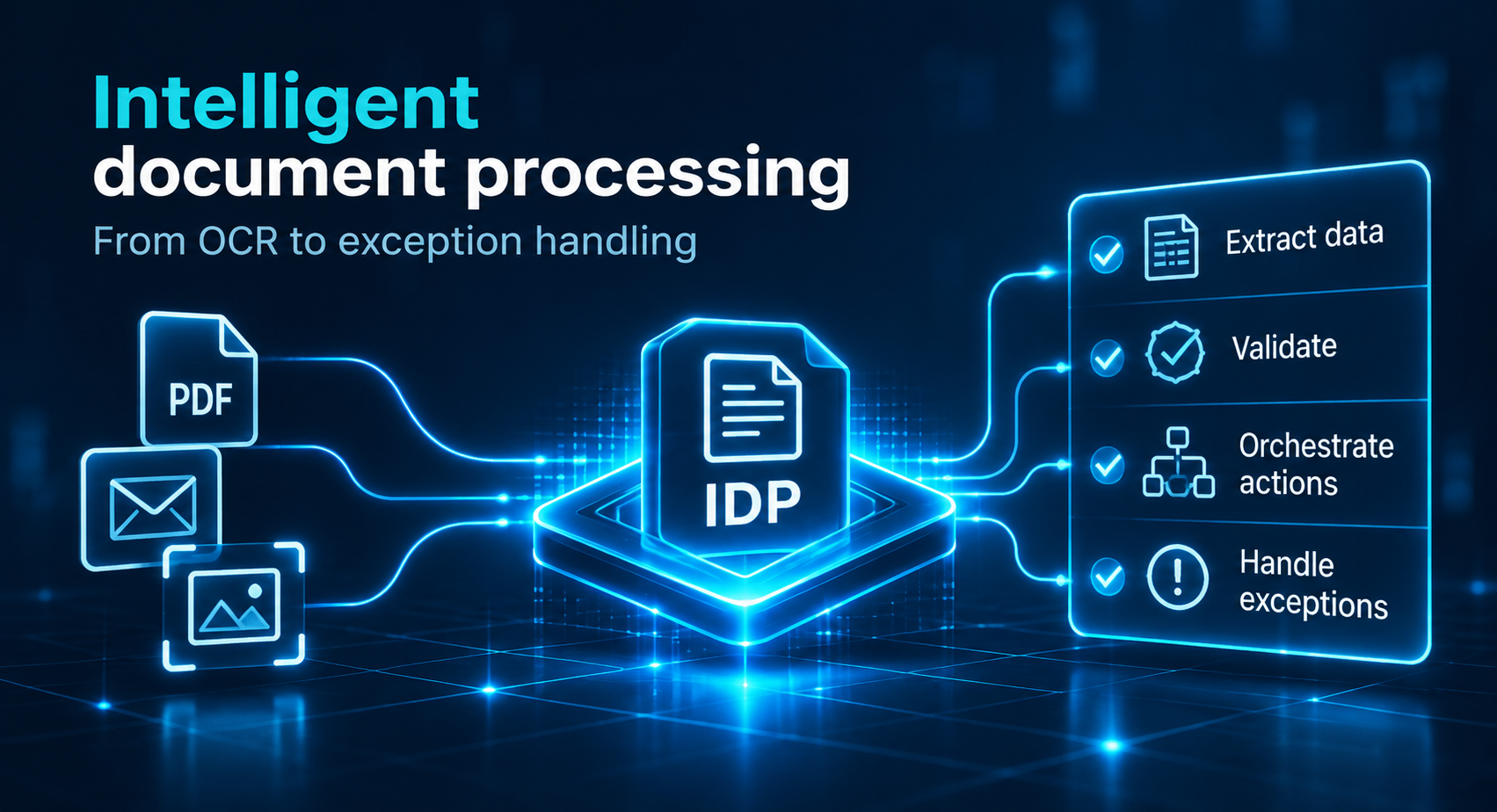
Intelligent document processing: Automating unstructured workflows, from OCR to exception handling
Intelligent document processing (IDP) turns emails, PDFs and scans into validated data that business systems can use. This guide compares document extraction approaches, from OCR and templates to trained models and LLMs, and explains how agentic workflows can orchestrate downstream actions. It also shows where five pipeline stages need human review.
What is intelligent document processing, and how does it work?
Intelligent document processing (IDP) is software that reads documents such as emails, PDFs, scans and forms, classifies them, extracts the fields that matter, validates the result and delivers structured data to business systems. It combines OCR with machine learning, natural language processing and, increasingly, large language models, and handles structured, semi-structured and unstructured documents.
The goal is not simply to digitize paperwork. It is to turn information locked inside documents into data that other applications can use reliably.
A typical IDP pipeline has five stages:
- Ingestion: Receive files, identify formats and check whether documents are readable and complete.
- Classification: Determine whether each file is an invoice, contract, claim, application or another supported document type.
- Extraction: Identify relevant fields, such as dates, names, amounts and reference numbers.
- Validation and review: Check extracted values against rules and route uncertain results to a human reviewer.
- Integration: Send validated records to an ERP, case management platform or another system of record.
For example, a supplier invoice may arrive as a PDF attachment. IDP identifies it as an invoice, extracts the supplier name, invoice number, amount and due date, checks the data and produces a structured record.
The same architecture can process correspondence, scanned forms and mixed document packages, although different inputs may require different extraction methods.
Corrections made by reviewers can also become labeled examples for improving extraction models over time. The important distinction is that IDP produces validated business data, not just recognized text.
What is the difference between OCR and intelligent document processing?
OCR converts an image of text into characters. Intelligent document processing adds the understanding that turns those characters into business data: it identifies the document type, assigns each value to the right field, checks the value against rules and routes the result onward. OCR is one component inside an IDP pipeline, not an alternative to it.
| Dimension | OCR | Intelligent document processing |
| Output | Recognized text or searchable PDF | Structured fields with source and confidence metadata, where available |
| Document classification | Not inherent to OCR | Identifies document type |
| Layout variation | Often handled through templates or zones | Can use layout-aware models |
| Validation | Requires separate logic | Integrated validation and cross-checks |
| Error handling | Often reviewed downstream | Uncertain fields enter an exception queue |
| Integration | Passes recognized text onward | Delivers validated records to business systems |
| Best fit | Digitization and text recognition | Document-driven operational workflows |
Consider a scanned invoice containing the text “€2,450.00”. OCR can recognize those characters. IDP must determine whether the value represents the subtotal, tax or total payable.
That distinction requires context, document structure and sometimes cross-checking against other fields.
OCR accuracy and IDP accuracy also measure different things. Correctly recognizing every character does not guarantee that a value has been assigned to the correct business field.
When OCR alone is enough: Fixed layouts, low volume, search as the goal
OCR remains appropriate when:
- The objective is creating searchable archives.
- Documents have stable, predictable layouts.
- Processing volume is limited.
- Extracted text does not need complex classification or validation.
If the next process requires verified fields rather than searchable text, an IDP workflow is usually the better architectural fit.
Which technologies does intelligent document processing combine?
Intelligent document processing combines five technology layers: OCR to read characters, layout analysis to find tables and regions, machine learning to classify documents and extract fields, natural language processing to interpret free text, and large language models for flexible extraction. Document understanding is the umbrella term for the layers that go beyond reading characters.
OCR and layout analysis: Reading characters and locating tables, titles and regions
OCR recognizes printed or handwritten characters from scanned pages and images. Its performance depends on factors such as resolution, rotation, contrast and handwriting quality.
Layout analysis identifies where information appears on a page. Computer vision can distinguish paragraphs, tables, headings and form regions.
Together, these technologies preserve the relationship between text and its position. This matters when a document contains several amounts, addresses or dates that look similar but serve different purposes.
Machine learning and NLP: Classifying documents and extracting fields from free text
Machine learning models help identify document categories and extract values from layouts that vary between suppliers or organizations.
Natural language processing (NLP) supports interpretation of free text, including entities, relationships and contextual meaning.
For example, a model may need to distinguish the contract’s effective date from a date mentioned in an appendix.
For a broader explanation of named entity recognition and text classification in business, see Webellian’s NLP guide.
Document understanding and LLMs: Interpreting meaning across layouts a template never saw
Document understanding combines recognized text, layout and context to identify what information means.
Large language models extend this capability to documents with unfamiliar layouts or substantial free text. Instead of training a separate extraction model for every format, an LLM can extract information according to a defined schema.
However, flexible extraction does not guarantee correct extraction. LLM outputs still need format checks, source verification and business-rule validation.
The distinction between AI, machine learning and deep learning helps explain how these technologies relate without treating them as interchangeable.
How do you choose between OCR with rules, ML-based extraction and LLM extraction?
Choose the simplest approach that meets your accuracy target on your hardest documents. Fixed forms suit OCR with templates, semi-structured documents such as invoices suit trained IDP models, and varied free text such as contracts suits LLM extraction with schema validation. Mixed document packets usually need a hybrid, with deterministic checks around every model step. Agentic orchestration is a separate downstream decision: it can use validated extraction results to determine what happens next.
| If the document is… | Variability | Start with | Add around it |
| Fixed form with the same layout | Low | OCR with templates | Field-format checks |
| Supplier invoice or purchase order | Medium | Trained IDP extraction models | Field confidence and cross-checks |
| Contract, claim narrative or correspondence | High | LLM extraction against a fixed schema | Source verification and human review |
| Mixed onboarding or loan package | Very high | Classify and split, then route to extractors | Document-level validation |
When a case requires decisions about the next document step, an agentic document workflow may be added after extraction and validation, with step limits and approval gates.
This decision matrix is an editorial engineering recommendation, not a comparative performance study.
Tier 1, OCR with templates: Stable forms and the lowest cost of error
Template-based OCR works when the same fields appear in predictable locations.
A fixed registration form, for example, may have clearly defined zones for a name, date and reference number.
Add format validation and move to a more flexible approach only when layout variation or extraction errors become measurable problems.
Tier 2, trained IDP models: Semi-structured documents such as invoices
Semi-structured documents contain recurring fields but inconsistent layouts.
Invoices from different suppliers may contain the same information in different positions. Layout-aware models can learn these patterns without requiring a separate rigid template for each supplier.
Field-level confidence scores and cross-document checks help identify exceptions.
Tier 3, LLM extraction with schema validation: Free text and rare layouts
LLM extraction is useful when information appears in paragraphs, clauses or uncommon formats.
A contract may describe an obligation without placing it in a labeled field.
The model should return a predefined structure, with every important value checked against the original document. Missing information must remain missing rather than being inferred.
Beyond extraction: Agentic document workflows for downstream decisions
Agentic document workflows go beyond extraction by selecting the next permitted action based on verified information. They are an orchestration pattern, not a fourth extraction tier.
For example, an agent might identify that an application package lacks a required attachment and request a follow-up. Such workflows need strict permissions and human approval before consequential actions.
Which unstructured document workflows are worth automating with IDP?
IDP pays off where documents arrive in volume, vary in layout and must be checked before another process can start: supplier invoices, insurance claims, loan and onboarding files, contracts and logistics paperwork. Start with one high-volume workflow whose documents follow clear rules, because that makes the result easy to measure against a baseline.
Potential use cases include financial operations, insurance administration, HR onboarding, legal document intake and logistics.
The strongest candidates usually combine repetitive data entry with clear validation requirements.
Invoice processing: The standard IDP example, from supplier PDF to validated record
Invoice processing illustrates the IDP pipeline clearly.
A supplier sends a PDF. The system identifies the document type, extracts invoice number, supplier details, dates and amounts, then validates the record.
If a required field is missing or an amount fails a rule, the document enters a review queue. Otherwise, the validated record can be passed to the next system.
The focus here is reliable document extraction, not the complete accounts payable process.
Contracts and claims: Free text where one wrong field is expensive
Contracts and insurance claims contain information that may be expressed differently in each document.
A claim narrative may describe an event without using standardized field labels. A contract may distribute key obligations across multiple clauses.
LLMs and NLP can help identify relevant information, but consequential fields require source verification and appropriate review.
Onboarding and loan files: Many document types in one package
Employee onboarding and loan applications often arrive as packages containing several document types.
The first challenge is determining which documents are present and whether anything is missing.
A hybrid workflow can classify and separate files, select an extractor for each document type and validate the combined results.
The benefits of IDP are operational: less repetitive entry, more consistent handling and better visibility into exceptions. Their actual size must be measured against the organization’s existing process.
Where should people review IDP output, and how do you measure it?
Human review should focus on exceptions and consequential cases, with additional verification or sampling where the risk profile requires it. Route a field to review when its confidence falls below a threshold set per field, when a validation rule fails, or when the value triggers a high-impact action. Some regulated or high-risk use cases may require mandatory human verification even when confidence scores are high and validation rules pass. Measure three numbers against your own baseline: straight-through processing rate, field-level accuracy and exception rate.
Confidence, validation and risk determine what a person reviews
A human-in-the-loop process should prioritize uncertain or consequential results while also supporting mandatory verification and risk-based sampling where required.
Three conditions commonly trigger review:
- Low confidence or insufficient evidence: A field falls below a validated confidence threshold, where meaningful field-level confidence scores are available, or the extraction lacks sufficient supporting evidence.
- Failed validation: A required value is missing, incorrectly formatted or inconsistent with another record.
- High-impact action: The extracted information would initiate an irreversible, regulated or expensive operation.
These are common triggers, not an exhaustive list. Document sensitivity, regulatory requirements or the consequences of an incorrect result may also justify mandatory verification or sampling.
Thresholds should reflect the consequences of an error. A missing optional description may be acceptable, while an uncertain bank account number should prevent automatic processing.
Confidence-threshold routing should be used only when the extraction system provides meaningful, validated field-level confidence scores. Traditional document extraction models often expose these scores, but LLM-based extraction does not always provide an equivalent calibrated measure of correctness. For LLM outputs, review decisions may instead rely on source grounding, validation rules and evaluation results. A confidence score produced by any model is not automatically a reliable probability that its output is correct.
Validation rules can reject impossible dates, enforce required fields and compare related values. Reviewers should see the original document alongside the proposed extraction, with corrections recorded for audit and model improvement.
Three metrics: Straight-through rate, field-level accuracy and exception rate
An IDP pilot needs more than a general accuracy percentage.
- Straight-through processing rate (STP): The percentage of documents that pass all required checks without human intervention.
- Field-level accuracy: The percentage of extracted fields matching verified reference values in an evaluation sample.
- Exception rate: The percentage of documents or fields routed to human review.
Define the denominator for each metric before measurement. A document-level exception rate and a field-level exception rate are not directly interchangeable.
For example, a workflow might achieve high accuracy on supplier names while repeatedly misreading payment amounts. An overall score could hide that problem.
Measure performance by document type and important field. Include damaged scans, unfamiliar layouts and incomplete files rather than testing only clean examples.
STP should also be interpreted alongside accuracy. A high straight-through rate is not an improvement if incorrect records pass validation unnoticed.
Stage by stage: The automatic check and the review trigger
| Pipeline stage | What can go wrong | Automatic check | When a person reviews |
| Ingestion | Unreadable scan, missing page or unsupported format | File-type, image-quality and page-count checks | File must be rejected or requested again |
| Classification | Wrong document type | Allowed-type list and confidence threshold, where meaningful | Type is unknown or evidence is insufficient |
| Extraction | Missing field or misread value | Field-level confidence where available, source verification and format checks | Important field is uncertain or lacks supporting evidence |
| Validation | Conflicting values | Business rules and cross-document checks | A required rule fails |
| Integration | Wrong record updated or schema changes | Typed schema and version checks | Write is high-value or irreversible |
Risk-based mandatory verification or sampling may also apply at any stage, even when automatic checks pass.
This exception-handling matrix is an editorial engineering recommendation. Thresholds and controls should be validated against the organization’s risk requirements.
A well-designed review queue records what failed, which source evidence was available, who reviewed the exception and what correction was made.
Human review adds processing time, but it should be evaluated against the cost of allowing incorrect records to enter business systems.
How do LLMs and AI agents change intelligent document processing?
Large language models make extraction more flexible, because they can read varied layouts and free text without a trained model for each document type. They also add risk: invented values and unstable output formats. The safer pattern: classify and extract first, validate against a schema and the source text, and let reasoning or agents act only on verified data.
LLM extraction risks: Invented values, unstable formats and the source-text check
AI document processing can use LLMs to identify information in correspondence, contracts and other documents that are difficult to handle with fixed templates.
But LLMs can generate plausible values that are absent from the source. They may also return inconsistent field names, incorrect data types or explanations instead of the required structured output.
Four safeguards are particularly important:
- Constrained instructions: Specify exactly which fields to extract and how to represent missing values.
- Schema validation: Require a predictable structure and correct data types.
- Source-text verification: Check important extracted values against the original document.
- Traceability: Retain source references, document versions and validation outcomes.
For example, if a contract does not specify a termination date, the correct output is a missing value, not a date inferred from typical contract terms.
The recommended order is classify and extract first, reason second, verify against the schema and source before acting.
For broader implementation considerations, see how enterprises evaluate and deploy large language models.
IDP as the first mile of retrieval: Clean document inputs for RAG and generative AI
IDP can prepare enterprise documents for retrieval systems by converting scans and PDFs into structured, searchable content.
Instead of passing raw extracted text alone, the pipeline can preserve headings, tables, document identifiers and page references.
That metadata helps downstream systems retrieve relevant passages and trace answers back to their sources.
This makes document quality an important input to retrieval-augmented generation using company documents.
However, extraction errors can still contaminate a retrieval index. Source validation and document versioning therefore matter before content is made available to generative AI applications.
Agentic document workflows: Where to stop at extraction
An AI agent may use verified document data to determine whether a file is missing, which permitted tool to call or whether a case requires escalation.
That decision-making should remain separate from the extraction and validation stages. The agent should not treat unverified model output as authorization to modify business records.
The wider architecture of enterprise AI agent platforms, data access and governance introduces additional considerations beyond document extraction.
How does extracted document data connect to the rest of an automated process?
Extracted data creates value only when it reaches a system that can act on it. IDP should output typed records with source page and confidence metadata, where available, validated against business rules, and pass them to ERP, case management or workflow tools through APIs. Rules and decisions that follow extraction belong in a decision layer, not inside the extraction model.
The output contract: Typed fields, source page and confidence
An IDP workflow should define a clear output contract before selecting extraction technology.
The contract generally contains three categories:
- Structured fields: Names, dates, amounts, identifiers and other values with explicit data types.
- Document content: Extracted text, tables or sections needed by downstream systems.
- Metadata: Document identifier, source page, model version, available confidence information and validation status.
A versioned schema helps detect unexpected changes before records reach a system of record.
For example, an invoice amount should be represented as a numeric value with a currency, not as an ambiguous text string.
APIs can transfer validated records to ERP or case management applications. The integration layer should log the operation, handle failures and prevent duplicate writes where required.
Decisions after extraction belong to the rules layer
Document extraction answers questions such as: What information does this document contain?
Business decision logic answers different questions: Does the record meet approval conditions? Which team should handle it? Can the next process step proceed?
Separating these responsibilities improves auditability.
An IDP model may extract a payment amount and supplier identifier. A downstream rules layer then checks whether the transaction satisfies business policy.
This separation also allows extraction models to change without silently changing approval rules.
How do you pilot your first intelligent document processing workflow?
Pilot one document type end to end before widening scope. Measure the manual baseline first, test on your worst documents instead of clean samples, write the validation checks down as rules, route uncertain or high-risk results to named reviewers and connect the output to the system of record through an API. Expand only when pilot metrics meet thresholds agreed in advance.
Data protection and security requirements should shape the IDP architecture from the outset. Before selecting extraction models, deployment options or external providers, classify the documents and identify any personal, confidential or regulated information they contain. Assess access controls, processing location and data residency, retention periods, provider data-use terms and applicable privacy requirements. Where processing is likely to create a high risk to individuals, determine whether a data protection impact assessment (DPIA) is required.
A practical pilot follows seven steps:
- Choose one document type and process. Define the incoming files, required fields and destination system.
- Measure the manual baseline. Record processing time, correction frequency and backlog.
- Build a representative test set. Include poor scans, unusual layouts, missing pages and other difficult cases.
- Define validation rules and output schema. Decide which fields are mandatory and how values will be checked.
- Assign reviewers and thresholds. Specify which exceptions and risk-based checks require people and record their corrections.
- Integrate through an API. Transfer validated records with audit logs and appropriate error handling.
- Set expansion criteria in advance. Agree on acceptable field accuracy, exception rate, processing time and operating cost.
Before starting the pilot, confirm that the proposed architecture meets the data protection and security requirements established during design. Involve the relevant data protection and security stakeholders, particularly when documents contain personal, confidential or regulated information or when external model providers are involved.
A proof of concept should test the most important uncertainties rather than attempt to automate every document type at once. See how to scope a data science proof of concept.
Technology selection should consider deployment constraints, document variability, integration requirements, review tooling and total operating cost. Whether to build or buy depends on those requirements, not on a universal ranking of products.
For the broader risk and value assessment, see the risks and returns of enterprise generative AI.
The pilot is ready to expand only when its results demonstrate that the workflow handles difficult documents reliably and routes exceptions to the right people.
FAQ
Is IDP considered AI?
Yes. IDP applies AI techniques: machine learning for classification and extraction, natural language processing for the meaning of text and, in newer systems, large language models. It is not only AI. OCR, validation rules and integrations are also part of the pipeline, and these deterministic parts keep the output controllable and auditable.
What is document understanding?
Document understanding is the ability to interpret what a document means and how it is organized, not only which characters it contains: the document type, the layout, and which value belongs to which field. It is the step that turns OCR output into labeled, usable fields, and it is what separates IDP from plain text recognition.
How accurate is intelligent document processing?
Accuracy depends on scan quality, layout variability and the strength of validation rules, so no single figure applies to every workflow. Measure field-level accuracy on a sample of your own hardest documents before the pilot, and treat accuracy percentages published by vendors as claims to test, not as benchmarks.
Sources
https://appian.com/blog/2026/idp-vs-ocr-intelligent-document-processing
https://www.tensorway.com/post/intelligent-document-processing-vs-ocr
https://www.kognitos.com/blog/intelligent-document-processing
https://www.docsumo.com/blog/intelligent-document-processing-vs-optical-character-recognition
https://www.docmetis.com/resources/human-in-the-loop-ai
https://arxiv.org/abs/2602.23481
https://learn.microsoft.com/en-us/azure/ai-services/document-intelligence/overview