
What is business process automation? A practical guide for operations leaders
Business process automation (BPA) uses software to run repeatable, multi-step business processes with minimal manual work. For operations leaders, the challenge is choosing the right processes, architecture, ownership model and KPIs so automation removes cost and delay without creating technical debt.
What is business process automation (BPA)?
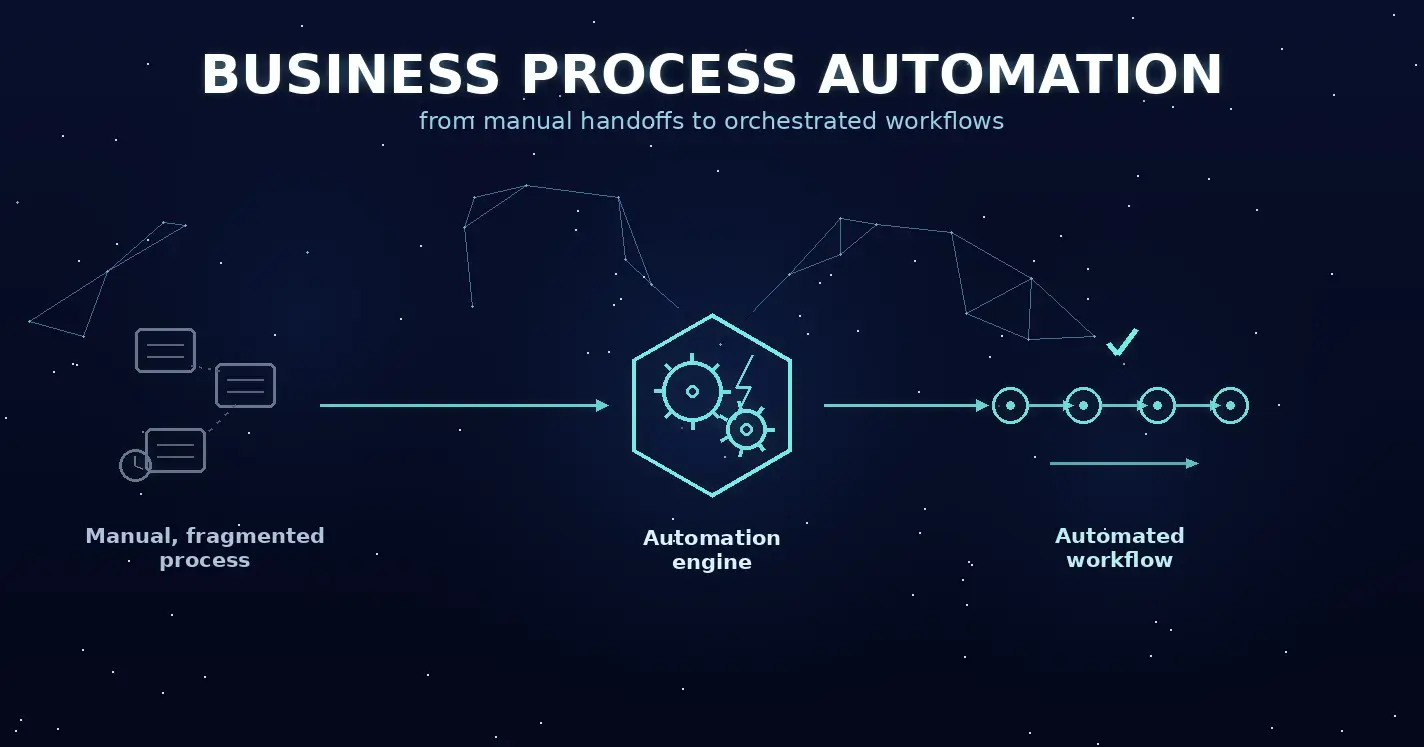
Business process automation is the use of software to execute a complete, multi-step business process across people and systems, with humans involved where judgment, approval or exception handling is required.
The important word is process.
Automating one repetitive task may save time, but BPA connects the wider flow. In invoice processing, for example, automation might receive an invoice, extract data, match it against ERP records, identify exceptions, route approval and trigger payment.
BPA can combine workflow engines, APIs, robotic process automation, low-code applications, document processing, business rules and AI.
For operations leaders, the purpose is measurable improvement:
- shorter cycle time;
- lower cost per transaction;
- fewer manual errors;
- higher straight-through processing;
- better SLA adherence;
- stronger auditability;
- greater operating capacity without proportional growth in manual workload.
Camunda’s 2026 research found that 95% of surveyed organizations reported business growth from process automation in the previous year, while 79% planned to increase automation spending.
Earlier Deloitte research found that organizations that had moved beyond piloting intelligent automation reported an average 32% cost reduction. That should not be treated as a guaranteed outcome for an individual project, but it shows why BPA continues to attract investment.
What makes a process automatable: triggers, rules, hand-offs and exceptions
A process is easier to automate when five components are clear:
- trigger: what starts the process;
- decision logic: which rules determine the next step;
- integrations: which systems need to exchange data;
- human tasks: where approval or judgment is required;
- exception path and audit trail: what happens when the normal flow fails.
A process that works only when every input is perfect is not production-ready automation.
Teams need to design both the normal path and the exception path from the beginning.
BPA vs. RPA vs. BPM vs. workflow automation: what’s the difference?
These concepts overlap rather than forming a strict hierarchy. BPM is the broader discipline of designing, managing, measuring and improving business processes, and it can include automation as part of execution. BPA focuses specifically on automating business processes, while RPA automates rule-based tasks and workflow automation coordinates tasks, approvals and hand-offs.
The comparison below is intentionally simplified: in practice, these categories overlap, and the same platform or initiative may combine elements of BPM, BPA, RPA and workflow automation.
| Approach | Primary scope | Best fit | Main limitation |
| BPM | Process design and improvement | Redesigning end-to-end processes | Does not automatically automate execution |
| BPA | End-to-end process execution | Multi-step processes crossing systems and teams | Requires integration and ownership |
| RPA | Repetitive UI tasks | Legacy systems without suitable APIs | Can break when screens change |
| Workflow automation | Routing tasks and approvals | Human-centric coordination | May not solve deeper integration problems |
BPM is a management discipline. BPA is the execution layer that can implement a redesigned process.
RPA is narrower. A bot might log into an old application and move data between screens. That can be useful when no viable API exists, but UI automation becomes expensive to maintain when it becomes the default integration architecture.
In this article, we treat BPA as the broader process-automation approach, with RPA and workflow automation as techniques that can support it.
Business process automation examples by function
The strongest BPA candidates are usually high-volume processes with repeated hand-offs, stable rules and data moving between digital systems.
| Function | Process | What BPA can automate | Useful KPI |
| Finance | Invoice processing | Intake, extraction, matching, approvals, ERP posting | Cost per invoice, cycle time |
| Procurement | Procure-to-pay | Requisitions, approvals, PO creation, status updates | Requisition-to-PO time |
| HR | Employee onboarding | Documents, accounts, equipment, training tasks | Time to productive start |
| Customer service | Ticket handling | Classification, routing, context gathering, escalation | Response time, SLA adherence |
| Insurance | Claims processing | Intake, validation, rules checks, case routing | Cost per claim |
| Sales / finance | Order-to-cash | Validation, fulfillment events, invoicing | Order cycle time |
| Supply chain | Inventory exceptions | Monitoring, replenishment, ERP updates | Stockout rate |
Invoice processing illustrates why BPA is broader than a bot.
Software can extract document data, retrieve ERP records through APIs, perform matching and send only exceptions to employees.
Human effort shifts from repetitive handling toward cases that actually require judgment.
The same principle applies to customer service. AI can classify or summarize requests, while workflow and rules determine routing, controls and escalation.
Which processes should you automate first?
Operations leaders should prioritize processes that are high-volume, standardized, rules-based, measurable and clearly owned.
Four questions narrow the list quickly:
Is the process frequent enough for automation to matter? Are its main decisions explicit? Are inputs sufficiently digital and consistent? Can you measure an operational result?
Ownership matters too.
If nobody owns the process end-to-end, automation can digitize existing confusion.
A practical set of verdicts is:
- automate now: stable, high-volume and rules-based;
- fix first: unnecessary variation or approvals;
- augment: AI or human judgment should remain in the flow;
- leave manual: low volume, constant change or excessive risk.
The process decision should come before platform selection.
Choosing your automation approach: platform, custom build or integration
Buy a platform when the process is standard, build custom when the process differentiates the business, and integrate through APIs when the work already lives inside ERP, CRM and other core systems.
| Approach | Best fit | Main cost or risk | Example |
| BPA / low-code platform | Standard workflows and approvals | Licenses, lock-in | Internal request workflow |
| Native ERP / CRM automation | Process mainly inside one platform | Limited cross-system flexibility | SAP or Salesforce workflow |
| Custom application | Complex or differentiated process | Development and long-term ownership | Custom operations portal |
| API / iPaaS integration | Reliable system-to-system automation | Integration governance | CRM-to-ERP transaction |
| RPA bridge | Legacy system without practical API | UI fragility | Old desktop application |
There is no universal best BPA tool.
The right choice depends on process fit, total cost of ownership, integration complexity and who will maintain the automation.
A generic platform can be ideal for standard approvals. Custom development becomes more rational when the process is differentiated, crosses several systems or requires a specific user experience.
This is where API-centric business applications and Webellian’s Digital Factory approach can be relevant.
Why API-first integration beats screen-scraping bots on ERP and legacy systems
APIs are generally more stable integration boundaries than user interfaces.
If an ERP exposes a supported API, using a bot to click through screens introduces unnecessary dependency on page structure and user-session behavior.
RPA still has a role when a legacy system has no viable API or when a temporary bridge is required.
A more durable pattern is:
API or iPaaS for integration, workflow orchestration for process state, event-driven triggers where appropriate, and RPA only for the last legacy step that cannot be integrated cleanly.
How to implement business process automation in 6 steps
For this guide, we use a practical six-step implementation approach: discover the real process, establish a baseline, redesign where needed, choose the right approach, build and test, then scale and monitor.
1. Discover the real process
Interview employees, inspect system events and use process mining or task mining where useful.
Map triggers, systems, decisions, waiting time, hand-offs and exceptions.
2. Establish the baseline
Measure performance before changing anything.
Capture cycle time, volume, cost per transaction, exception rate, error rate and SLA performance.
Without a baseline, improvement is difficult to prove.
3. Redesign before automating
Remove redundant approvals, clarify ownership and standardize inputs.
Do not automate complexity simply because it already exists.
4. Choose the architecture
Select workflow, ERP functionality, APIs, iPaaS, RPA, custom software, AI or a combination based on the redesigned process.
Avoid choosing the tool first.
5. Build normal and exception paths
Implement integrations, rules, permissions, monitoring and auditability.
Define what happens when an API fails, data is missing or AI confidence is too low.
6. Scale and monitor
Compare pilot results with the baseline.
Fix weaknesses before expanding to other teams or regions.
Scaling should include dashboards, support, ownership, access controls and continuous improvement.
How to measure BPA results: KPIs, baselines and ROI
Measure BPA against a pre-automation baseline using cycle time, cost per transaction, error rate, straight-through processing and SLA adherence.
| KPI | What it measures | How to use it |
| Cycle time | Time from trigger to outcome | Compare before and after automation |
| Cost per transaction | Operating cost per completed case | Include run and technology costs |
| Error / rework rate | Cases requiring correction | Track causes, not only percentage |
| Straight-through processing | Cases completed without manual intervention | Use where zero-touch processing is desirable |
| SLA adherence | Cases completed within target | Segment by case and exception type |
A simple ROI formula is:
ROI = (realized benefits – total automation costs) / total automation costs × 100
Realized benefits matter.
If automation releases employee capacity but that capacity is not reduced, redeployed or used to absorb more volume, it should not automatically be counted as cash savings.
A BI layer can combine workflow events, ERP transactions, cost data and SLA performance into one management view. The principles in our guide to building a governed BI decision layer are relevant here as well.
Who owns automation? Operating model, governance and exception handling
Every automated process needs a business owner in operations, a technical owner in IT and clear responsibility for changes, monitoring and exceptions.
The operations owner is accountable for process outcomes and business rules.
IT governs architecture, security, integrations and technical reliability.
A partner may build or maintain the solution, but ownership boundaries still need to be explicit.
Two governance models are common:
- centralized CoE: standards, controls and specialist automation capability are concentrated in one central team, which improves consistency but can create bottlenecks;
- federated: central governance sets standards and guardrails, while automation capability is distributed across business functions or departments.
Delivery is a separate decision. Implementation and maintenance can be handled internally, by an external partner, or through a shared model that combines both. Regardless of the sourcing model, process ownership and accountability for business outcomes should remain explicit.
.
For organizations deciding how much delivery responsibility stays internal, the distinction between a dedicated development team and staff augmentation is also relevant.
Governance should maintain an automation inventory: what exists, who owns it, which systems it accesses and what happens if it fails.
Without this, automation estates tend to develop hidden dependencies and bot sprawl.
Where AI fits: from rules-based automation to agentic workflows
AI extends BPA into unstructured and judgment-heavy work, while deterministic workflow and integrations remain the backbone for steps that must behave predictably.
Intelligent document processing can extract information from PDFs and scans.
Machine learning can classify cases or detect anomalies.
LLMs can summarize requests, retrieve context and draft responses.
AI agents can execute multi-stage work across systems.
But AI does not remove the need for orchestration.
Production workflows still require permissions, state, limits, retries, logging, approvals and recovery paths.
Camunda’s 2026 research found that 71% of surveyed organizations were using AI agents, but only 11% of agentic use cases had reached production in the previous year.
That gap helps explain why RPA is unlikely to be replaced by AI in one clean transition.
A practical architecture uses:
- rules for deterministic decisions;
- APIs for direct integration;
- RPA where legacy applications leave no better option;
- AI where ambiguity or unstructured data makes it useful;
- human review where uncertainty or consequences justify it.
For a deeper architectural view, see how we approache AI agents on top of existing enterprise data, cloud and API foundations.
FAQ: business process automation
What does BPA stand for?
BPA stands for business process automation. It uses software to automate repeatable multi-step business processes across people and systems, including decisions, integrations, exceptions and approvals.
What is an example of business process automation?
Invoice processing is a common example. Automation can extract invoice data, validate it, match it against ERP records, route exceptions for approval and trigger the next payment step.
What is the difference between BPA and RPA?
BPA automates an end-to-end process. RPA is one technique used inside that process, usually to automate repetitive tasks through application interfaces.
What is BPM with an example?
BPM is the discipline of designing and improving business processes. A company might use BPM to redesign procure-to-pay, then use BPA technologies to execute that redesigned process.
Will RPA be replaced by AI?
Not completely. AI can replace some brittle or interpretation-heavy automation, but RPA remains useful for legacy systems without suitable APIs. Most organizations will combine AI, APIs, workflow and selective RPA.
How long does it take to implement business process automation?
A contained pilot may sometimes take roughly six to twelve weeks, while enterprise BPA can take much longer when several systems, regulated data or legacy integrations are involved.
How much does business process automation cost?
Costs may include licenses, development, integrations, infrastructure, AI usage, testing, security, maintenance and support. Total cost of ownership matters more than the initial implementation price.
Which business processes should not be automated?
Avoid unstable, low-volume or poorly defined processes and those dominated by judgment that cannot be governed reliably. Broken processes should usually be redesigned first.
Do you need a BPA platform, or can you automate with your existing ERP?
A separate platform is not always necessary. Native ERP or CRM workflow may be enough when most of the process already lives inside one system.
How do you calculate the ROI of process automation?
Use a pre-automation baseline and compare realized benefits with total automation costs:
ROI = (realized benefits – total automation costs) / total automation costs × 100
Conclusion: automate the process, not just the task
Business process automation creates the most value when operations leaders treat it as process redesign supported by technology.
Start with a measurable problem. Establish the baseline. Remove unnecessary complexity. Choose the simplest architecture that fits the redesigned process. Use reliable integrations where possible. Design exceptions explicitly. Give the process a named owner. Then measure what changed.
The technology may be a workflow platform, custom application, API integration, RPA bridge or AI agent.
The principle stays the same: automation should make the end-to-end process easier to control, measure and improve.
Talk to Webellian’s Digital Factory team about mapping and automating your highest-impact processes.
Sources
https://camunda.com/state-of-agentic-orchestration-and-automation
https://digital-strategy.ec.europa.eu/en/policies/regulatory-framework-ai