
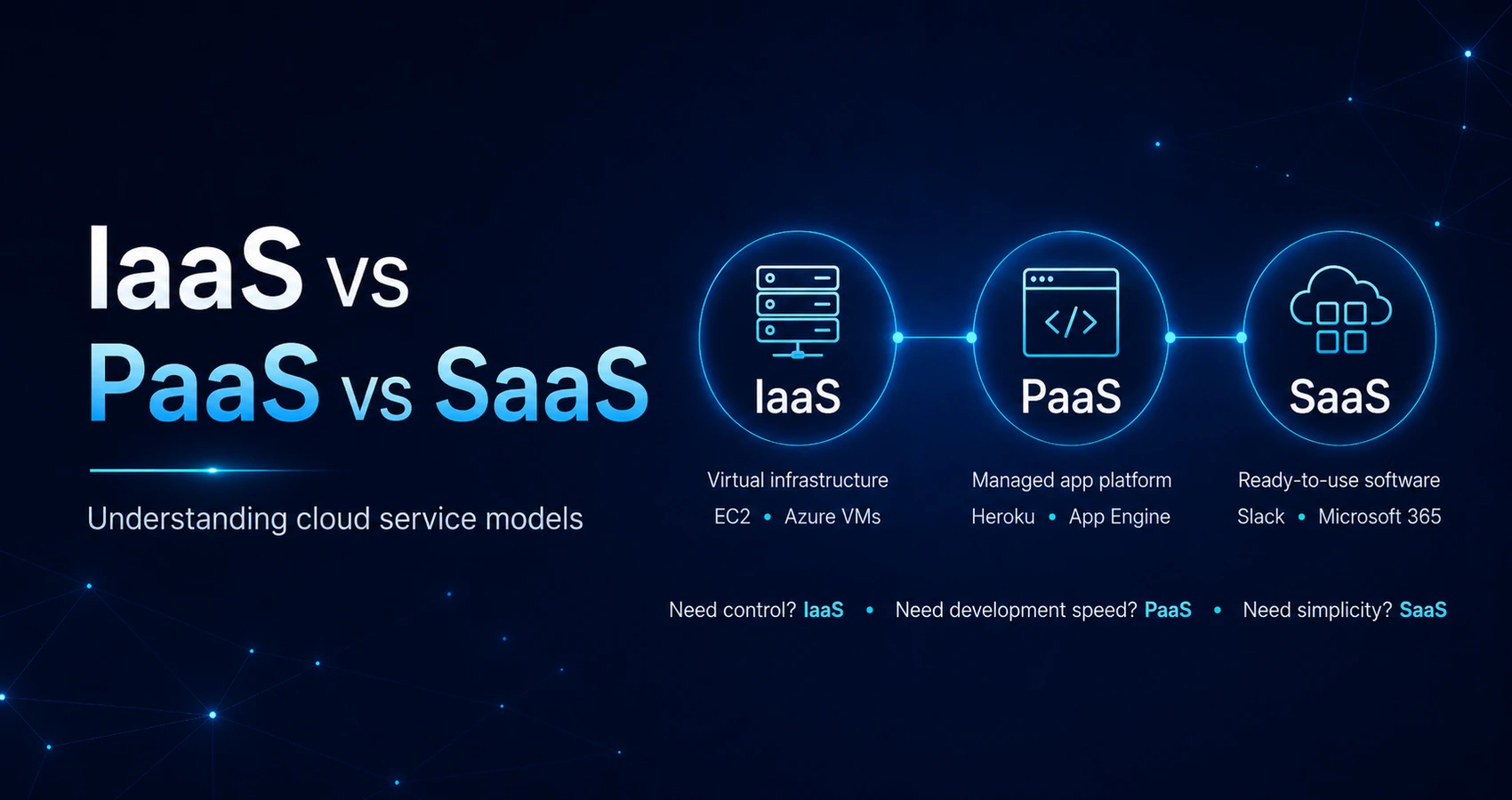
IaaS vs PaaS vs SaaS: Understanding cloud service models
IaaS, PaaS, and SaaS are the three core cloud service models, shifting different shares of management to the provider. Choosing the right one depends on control, cost, and deployment speed under the shared responsibility model. This guide compares all three models and offers a practical decision framework for IT leaders.
What is the difference between IaaS, PaaS, and SaaS?
IaaS, PaaS, and SaaS differ in how much of the technology stack whether infrastructure, platform, or application your team manages instead of the cloud provider.
All three are cloud service models delivered on an “as-a-service” basis. Instead of purchasing, installing, and maintaining every technology layer internally, a company consumes selected resources from a cloud provider.
The main difference between IaaS, PaaS, and SaaS is the level at which the provider takes over management responsibilities:
- Infrastructure as a Service provides computing infrastructure.
- Platform as a Service provides infrastructure plus a managed development platform.
- Software as a Service provides a complete application.
- Moving from IaaS to PaaS to SaaS reduces customer responsibility but also reduces direct control.
- Each model supports different workloads, technical capabilities, and business objectives.
What is infrastructure as a service (IaaS)?
Infrastructure as a Service, or IaaS, provides virtualized infrastructure through the cloud. The provider operates the physical data center and underlying hardware, while the customer configures and manages the software environment running on top of it.
Typical IaaS resources include:
- Compute capacity
- Virtual machines
- Storage
- Networking
- Load balancing
- Firewalls
- Virtualization
The cloud provider manages the physical servers, disks, network equipment, and virtualization layer. The customer normally remains responsible for the operating system, middleware, runtime environment, applications, configurations, and data.
This model gives IT teams the greatest flexibility of the three. They can select operating systems, configure network architecture, install specialized software, and adapt the environment to custom security or compliance requirements.
IaaS is often used for migrating legacy applications, hosting customized enterprise systems, creating development environments, or supporting workloads with unpredictable demand. It replaces the need to purchase physical hardware while preserving substantial control over the technical stack.
What is platform as a service (PaaS)?
Platform as a Service, or PaaS, provides a managed environment in which development teams can build, test, deploy, and scale applications.
The provider typically manages:
- Physical infrastructure
- Networking
- Storage
- Virtualization
- Operating systems
- Middleware
- Runtime environment
- Platform updates
- Development and deployment tools
The customer focuses primarily on application code, configurations, and data.
PaaS removes much of the operational work associated with preparing and maintaining an application environment. Developers do not need to install operating systems, patch middleware, or manually configure infrastructure for every release.
This makes PaaS particularly useful for new digital products, APIs, mobile applications, web platforms, and minimum viable products. It helps teams reduce time-to-market and maintain consistent environments across development, testing, and production.
The trade-off is reduced infrastructure flexibility. The application must operate within the languages, frameworks, deployment processes, and technical restrictions supported by the platform.
What is software as a service (SaaS)?
Software as a Service, or SaaS, delivers a complete application managed by the provider and accessed by users through a browser, desktop client, or mobile application.
The provider is responsible for:
- The physical infrastructure
- Virtualization
- Operating systems
- Middleware
- Runtime environment
- Application maintenance
- Security updates
- Feature releases
- Availability and performance of the service
The customer typically manages user access, business configurations, integrations, and the data entered into the system.
SaaS requires no infrastructure installation and little or no technical maintenance. Updates are applied automatically, and the application is usually purchased through a subscription.
Common SaaS use cases include email, customer relationship management, collaboration, document management, analytics, human resources, and accounting. SaaS is usually the best fit when a company needs a standard business capability quickly and does not require deep control over the underlying application.
Who manages each layer in the shared responsibility model?
The shared responsibility model defines which layers of the technology stack—such as infrastructure, operating systems, middleware, runtime, applications, and data—are managed by the provider and which remain the customer’s responsibility.
The shared responsibility model changes depending on whether an organization selects IaaS, PaaS, or SaaS. Responsibility gradually shifts toward the provider as the service moves from infrastructure to platform to complete software.
The model does not mean that the provider becomes responsible for every aspect of security or operation. Even in SaaS, customers usually remain responsible for user permissions, access policies, data classification, account security, and appropriate use of the application.
How does the shared responsibility model differ across IaaS, PaaS, and SaaS?
| Technology layer | On-premises | IaaS | PaaS | SaaS |
| Physical hardware | Customer | Provider | Provider | Provider |
| Networking infrastructure | Customer | Provider | Provider | Provider |
| Storage infrastructure | Customer | Provider | Provider | Provider |
| Virtualization | Customer | Provider | Provider | Provider |
| Operating system | Customer | Customer | Provider | Provider |
| Middleware | Customer | Customer | Provider | Provider |
| Runtime environment | Customer | Customer | Provider | Provider |
| Application | Customer | Customer | Customer | Provider |
| Application data | Customer | Customer | Customer | Shared responsibility |
| User access and permissions | Customer | Customer | Customer | Customer |
In IaaS, the provider secures and operates the physical infrastructure and virtualization layer. The customer must patch the operating system, configure network rules, protect applications, manage identities, and secure data.
In PaaS, the provider also manages the operating system, middleware, and runtime environment. The customer concentrates on application logic, secure coding, application configuration, user access, and data protection.
In SaaS, the provider operates the entire application stack. The customer still controls who can access the application, what permissions users receive, how data is entered or shared, and whether security settings are configured correctly.
The security boundary therefore moves, but it never disappears. A cloud provider may secure the underlying infrastructure while the customer accidentally exposes data through weak passwords, excessive permissions, an insecure application configuration, or a compromised administrator account.
For IT leaders, the practical question is not simply whether the provider is secure. It is whether internal teams understand the responsibilities that remain after a service has been adopted.
What are real-world IaaS, PaaS, and SaaS examples?
Common IaaS examples include AWS EC2 and Azure Virtual Machines, PaaS examples include Heroku and OpenShift, and SaaS examples include Salesforce and Google Workspace.
Real-world IaaS, PaaS, and SaaS examples are sometimes difficult to classify because large cloud providers offer services across several categories. AWS, Microsoft Azure, and Google Cloud are not limited to one service model. Each provides infrastructure, managed platforms, databases, developer tools, and complete software applications.
The correct classification therefore applies to the individual service rather than the provider’s entire portfolio.
- IaaS products deliver configurable infrastructure resources.
- PaaS products deliver managed environments for application development.
- SaaS products deliver complete applications to end users.
- A single enterprise architecture may use examples from all three groups.
What are common IaaS examples from AWS, Azure, and Google Cloud?
Widely used IaaS examples include:
- Amazon EC2, which provides configurable virtual servers
- Azure Virtual Machines, which provide Windows and Linux computing environments
- Google Compute Engine, which provides virtual machines on Google Cloud infrastructure
- DigitalOcean Droplets, which provide simplified virtual server instances
- AWS Elastic Block Store, which provides persistent block storage
- Azure Virtual Network, which provides isolated cloud networking
These services give the customer direct access to virtual machines, storage, and networking components. IT teams can choose operating systems, install middleware, configure network policies, and build custom infrastructure architectures.
Our team implements IaaS solutions across AWS, Azure, and Google Cloud, aligning each environment with application requirements, security policies, scalability targets, and operational capabilities.
IaaS is particularly useful when an organization needs to recreate or modernize an existing data center architecture without purchasing new physical hardware.
What are common PaaS examples for managed application development?
Common PaaS examples include:
- AWS Elastic Beanstalk
- Google App Engine
- Microsoft Azure App Service
- Heroku
- Red Hat OpenShift
- Cloud Foundry
These platforms provide managed application environments. Developers deploy code without manually provisioning every virtual machine or configuring the operating system and runtime from the ground up.
For example, a team can deploy a web application to a managed platform, connect it to a database, configure scaling rules, and release updates through an automated deployment pipeline. The platform handles much of the infrastructure provisioning and runtime maintenance.
Some managed container platforms may also overlap with PaaS. The classification depends on how much control the user has over the cluster, runtime, networking, and deployment configuration.
What are common SaaS examples for business users?
Common SaaS examples include:
- Salesforce for customer relationship management
- Google Workspace for email, documents, and collaboration
- Microsoft 365 for productivity and communication
- Dropbox for cloud file storage and sharing
- Slack for workplace messaging
- HubSpot for marketing, sales, and customer service
- ServiceNow for enterprise workflow management
- Power BI Service for cloud-based business intelligence
These products are examples of subscription-based software. Customers use the application without managing servers, runtime environments, operating systems, or deployment infrastructure.
For a deeper comparison of SaaS-delivered analytics platforms, it is also useful to consider how different cloud ecosystems support reporting, data integration, governance, and analytics workloads.
What are the advantages and disadvantages of IaaS, PaaS, and SaaS?
IaaS offers the most control but the most responsibility, PaaS speeds up development but limits infrastructure flexibility, and SaaS is simplest to adopt but carries the highest vendor lock-in risk.
The right balance between flexibility and operational simplicity depends on the workload. A model that reduces infrastructure work may increase dependency on a provider’s APIs, data formats, integrations, or commercial terms.
The main trade-offs include:
- Degree of technical control
- Required internal expertise
- Deployment speed
- Scalability
- Customization
- Security responsibility
- Pricing predictability
- Risk of vendor lock-in
What are the pros and cons of IaaS?
Advantages of IaaS:
- High flexibility: Teams can choose operating systems, databases, security tools, and network architecture.
- Scalability: Compute and storage resources can be increased or reduced without purchasing physical servers.
- Lower capital expenditure: The company avoids upfront investment in data center hardware.
- Support for custom workloads: IaaS can host specialized, legacy, or highly customized applications.
- Infrastructure automation: Resources can be provisioned through APIs and infrastructure-as-code tools.
- Pay-as-you-go pricing: Customers pay for consumed capacity rather than maintaining maximum capacity at all times.
Limitations of IaaS:
- The customer must manage operating systems, middleware, runtime components, patching, and application security.
- Cost can become difficult to control when resources are overprovisioned or left running unnecessarily.
- Effective operation requires cloud architecture, networking, security, and DevOps expertise.
- Flexible infrastructure can create inconsistent configurations if governance is weak.
- Migrating a poorly designed on-premises architecture directly into IaaS may preserve existing inefficiencies.
IaaS reduces responsibility for physical infrastructure, but it does not remove the need for skilled technical teams.
What are the pros and cons of PaaS?
Advantages of PaaS:
- Faster time-to-market: Developers can begin building without preparing the full infrastructure stack.
- Reduced operational work: The provider handles operating systems, middleware, runtime updates, and platform maintenance.
- Consistent environments: Development, testing, and production can use standardized platform configurations.
- Built-in scalability: Many platforms automatically add resources as application demand increases.
- Integrated tooling: Logging, monitoring, deployment pipelines, databases, and authentication may be available as managed components.
- Developer productivity: Teams can concentrate on application features instead of server administration.
Limitations of PaaS:
- Customers have less control over infrastructure configuration and runtime behavior.
- Supported programming languages, libraries, and framework versions may be restricted.
- Platform updates can affect application compatibility.
- Costs may increase as usage grows or additional managed components are added.
- Applications can become dependent on proprietary services and APIs.
- Moving the application to another provider may require significant redevelopment.
This dependency creates vendor lock-in, especially when an application relies heavily on provider-specific databases, messaging systems, identity services, or deployment processes.
What are the pros and cons of SaaS?
Advantages of SaaS:
- Rapid implementation: Users can usually access the application immediately after configuration.
- No infrastructure maintenance: The provider operates the complete technology stack.
- Automatic updates: Security fixes and new features are deployed centrally.
- Access from multiple locations: Applications are commonly available through a browser or mobile device.
- Predictable subscription pricing: Costs are often calculated per user, per month, or by service tier.
- Reduced technical requirements: Business teams can adopt many SaaS tools without a dedicated infrastructure project.
Limitations of SaaS:
- Customers have limited control over infrastructure, product roadmaps, and release schedules.
- Deep customization may be unavailable or expensive.
- Integrations depend on the provider’s APIs and supported connectors.
- Data portability can be limited.
- Subscription costs can grow significantly as the number of users increases.
- The provider may change pricing, features, service limits, or commercial terms.
- Vendor lock-in can make switching applications operationally and financially difficult.
SaaS is often the fastest option, but speed should not replace due diligence. IT leaders should review security controls, data residency, export capabilities, availability commitments, integration requirements, and exit procedures before committing to a critical SaaS platform.
How do you choose the right cloud service model for your project?
Choose IaaS for full infrastructure control, PaaS to accelerate development, and SaaS when you need ready-to-use software without managing infrastructure.
A practical decision framework should evaluate the application rather than beginning with a preferred provider or technology. The correct model depends on technical requirements, internal skills, compliance obligations, customization needs, deployment speed, and total cost of ownership.
Key questions include:
- Does the organization need control over the operating system or network?
- Is the workload a custom application or a standard business function?
- How quickly must the solution be deployed?
- Does the internal team have cloud operations expertise?
- Are there specific compliance, security, or data residency requirements?
- Will the workload experience unpredictable or seasonal demand?
- How much customization is required?
- Could dependence on proprietary services create unacceptable vendor lock-in?
- What are the migration and exit costs?
- Is the priority infrastructure flexibility, developer productivity, or operational simplicity?
Working with an experienced cloud partner—like Webellian’s Cloud & Security team, helps translate this framework into an actual migration roadmap tailored to your architecture and budget.
When should you choose IaaS for full infrastructure control?
IaaS is usually the right choice when the workload requires configurations that cannot be achieved within a managed platform or standard SaaS product.
Choose IaaS when:
- Migrating a legacy application that depends on a specific operating system
- Running software that requires custom middleware
- Implementing detailed network segmentation
- Meeting specialized compliance requirements
- Supporting unpredictable or spiky workloads
- Maintaining control over databases and runtime configurations
- Recreating an existing data center architecture in the cloud
- Hosting applications that cannot be modified for PaaS
For example, an enterprise may need to migrate a critical application that runs on a specific Windows Server version and communicates with several internal systems. Moving it directly to IaaS virtual machines may be faster and less risky than rewriting it for a managed platform.
IaaS can also be appropriate when technical control creates a competitive or regulatory advantage. The organization can customize security tools, monitoring systems, backup policies, and network architecture.
The trade-off is operational responsibility. The customer must maintain operating systems, patch software, monitor performance, optimize cloud costs, and secure the environment.
When should you choose PaaS for faster application development?
PaaS is usually the best fit for teams building new applications that do not require extensive infrastructure customization.
Choose PaaS when:
- Developing a new digital product or MVP
- Building APIs, web applications, or mobile backends
- Reducing time spent on server administration
- Standardizing development and deployment environments
- Scaling applications without manually provisioning infrastructure
- Supporting frequent releases through automated pipelines
- Enabling a small development team to operate a production application
- Using supported programming languages and frameworks
PaaS can significantly improve deployment speed because the platform already includes the operating system, runtime environment, middleware, monitoring, and deployment tooling.
A development team can focus on business logic while the provider handles platform availability and maintenance. This is valuable when the ability to test, release, and improve a product quickly matters more than low-level infrastructure control.
Before selecting PaaS, teams should assess portability. Applications that rely heavily on proprietary databases, event systems, identity services, or serverless components may be difficult to move later.
When should you choose SaaS for ready-to-use software?
SaaS is normally the right option when the organization needs a standard business capability rather than a custom application.
Choose SaaS when:
- Implementing CRM software
- Providing business email and collaboration
- Introducing document management
- Deploying HR or payroll software
- Using standard analytics and reporting tools
- Managing customer support
- Providing project management capabilities
- Avoiding internal software maintenance
SaaS offers the fastest implementation because the complete application already exists. The organization configures users, permissions, integrations, and business settings rather than developing or hosting the system.
The subscription model can also make initial costs easier to predict. However, pricing should be evaluated over the full contract period. Per-user fees, premium integrations, storage charges, support packages, and required service tiers can increase the total cost of ownership.
Once you’ve chosen a service model, the next step is planning execution—see our guide to cloud migration strategy for a structured approach.
It is also important to separate service-model selection from deployment-model selection. IaaS, PaaS, and SaaS describe how responsibilities are divided between the customer and provider. Public, private, and hybrid cloud describe where and how the environment is deployed.
Note that choosing a service model is a separate decision from your deployment model—read our comparison of public vs. private vs. hybrid cloud for that side of the equation.
In many enterprise environments, the final architecture uses all three service models. A company might host a legacy application on IaaS, build a customer portal on PaaS, and use SaaS for email and CRM.
The objective is not to select one model for the entire organization, but to choose the right model for each workload.
What are the four main types of cloud computing service models?
Beyond IaaS, PaaS, and SaaS, many providers classify Containers as a Service as a fourth model designed for containerized workloads, while others use Function as a Service as the fourth category.
Lists of the main types of cloud computing are not always identical. The three core cloud service models remain IaaS, PaaS, and SaaS, but newer cloud-native technologies have introduced additional categories.
The extended classification commonly includes:
- Infrastructure as a Service: Configurable computing, storage, and networking resources
- Platform as a Service: Managed environments for application development and deployment
- Software as a Service: Complete applications operated by the provider
- Containers as a Service: Managed infrastructure for deploying and operating containers
Containers as a Service, or CaaS, gives teams a managed environment for running containerized applications. The provider may manage infrastructure, control-plane components, orchestration tooling, and selected cluster operations, while the customer manages container images, application configurations, services, and data.
CaaS is useful when teams want more portability and infrastructure control than traditional PaaS provides but do not want to build a complete container platform from the ground up. Managed Kubernetes platforms are often included in this category.
Some classifications instead treat Function as a Service, or FaaS, as the fourth model. FaaS allows developers to deploy individual functions that execute in response to events. The provider manages servers, runtime capacity, and scaling, while the customer supplies function code and configuration.
The distinction is not universally standardized. CaaS focuses on containers and orchestration, while FaaS focuses on event-driven execution without persistent server management.
Modern enterprises may use IaaS, PaaS, SaaS, Containers as a Service, and Function as a Service across several cloud providers.
Many enterprises combine models across providers—see our guide to multi-cloud strategy for how to manage that complexity.
The organization must then decide whether it has the internal capacity to govern, secure, monitor, and optimize these environments. If you’d rather hand off cloud management entirely, compare this decision with cloud computing vs. cloud outsourcing.
For a broader view of how cloud architecture, software delivery, data, security, and technology consulting can support business objectives, explore Webellian’s services.
What else should you know about IaaS, PaaS, and SaaS?
Is Netflix a SaaS, PaaS, or IaaS?
For viewers, Netflix functions most like SaaS because users access a complete software service without managing its infrastructure, platform, operating system, or application components.
Netflix itself uses cloud infrastructure and managed cloud services to operate its platform. This means the company may consume IaaS, PaaS, and other managed services internally while delivering its streaming application to customers as a software service.
The classification therefore depends on perspective. Netflix is SaaS from the customer’s perspective, while its internal architecture uses multiple cloud service models.
Is Gmail a PaaS or SaaS?
Gmail is SaaS.
Users access a complete email application through a browser or mobile application. Google manages the infrastructure, operating systems, middleware, runtime environment, application code, updates, availability, and most security controls.
Customers configure accounts, permissions, retention settings, and organizational policies, but they do not use Gmail as a platform for deploying their own applications. This is why Gmail is classified as SaaS rather than PaaS.
Can a company use IaaS, PaaS, and SaaS together?
Yes. Most medium-sized and large organizations use IaaS, PaaS, and SaaS together.
A company might use:
- IaaS for a legacy enterprise application
- PaaS for a new customer-facing portal
- SaaS for email, CRM, file sharing, and collaboration
- Containers as a Service for microservices
- Function as a Service for event-driven automation
The models are not mutually exclusive. Each workload can be matched with the model that provides the appropriate balance of control, deployment speed, cost, scalability, and operational responsibility.
The main challenge is maintaining consistent security, identity management, governance, monitoring, data protection, and cost control across the complete environment.
What is vendor lock-in?
Vendor lock-in occurs when changing providers becomes difficult, expensive, or operationally risky because an application depends on a provider’s proprietary technology, data format, contract, API, integration, or operational process.
Lock-in may result from:
- Proprietary databases
- Provider-specific application services
- Custom APIs
- Limited data export options
- Complex integrations
- Long-term contracts
- High data transfer charges
- Specialized employee skills
- Rewriting requirements
- Downtime and migration risk
Vendor lock-in is not always unacceptable. A proprietary service may deliver substantial improvements in speed, scalability, reliability, or developer productivity.
The important step is to evaluate the dependency before adoption. Organizations should understand how data can be exported, how applications could be migrated, what components would require redevelopment, and how much an exit would cost.