
Progressive web apps (PWA) vs native apps: 2026 comparison
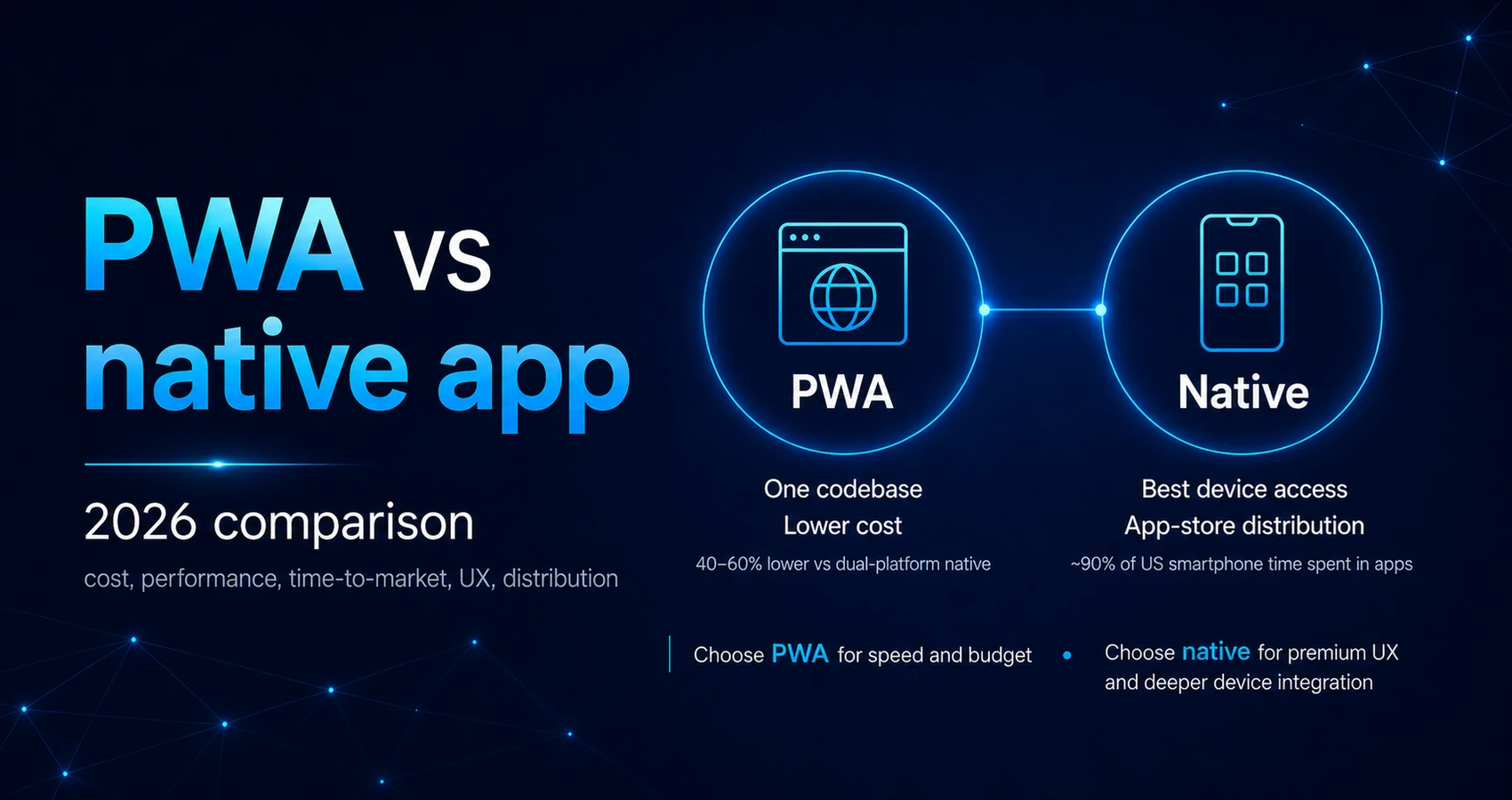
A Progressive Web App (PWA) runs in a browser from one codebase, while native apps are built for specific platforms with deeper device access. Industry estimates place PWA development costs 40-60% below equivalent dual-platform native builds, while around 90% of US smartphone time is spent in apps. CTOs must balance total cost of ownership against required device integration. [1][2][3]
What is a Progressive Web App (PWA) and how does it differ from a native app?
A PWA is a web application that uses technologies such as a service worker and web app manifest to provide an installable experience, while a native app is developed for a specific operating system.
A Progressive Web App is delivered through the web and accessed through a browser. Users can open it through a URL and, on supported devices, install it on their home screen or desktop. Once installed, a PWA can launch in a standalone window and appear alongside other applications.
A native app is built for a particular operating system. An iOS application is usually developed with Swift or Objective-C, while an Android application commonly uses Kotlin or Java. Native apps are normally distributed through the Apple App Store or Google Play.
The main technical differences include:
- Codebase: A PWA generally uses a single codebase for desktop and mobile browsers. A fully native approach may involve separate iOS and Android applications.
- Installation: Users can access a PWA immediately through a URL and may install it from a supporting browser. Native apps usually require an app store download.
- Technology stack: PWAs use web technologies such as HTML, CSS, JavaScript, and browser APIs. Native apps use platform-specific languages, frameworks, and software development kits.
- Updates: A PWA can be updated centrally on the server. Native app updates normally pass through an app store release process.
- Hardware access: Native apps have the most complete access to device functions. A PWA depends on the capabilities supported by the browser and operating system.
- Discoverability: A PWA can appear in search results. A native app depends more heavily on app store listings, rankings, reviews, and campaigns.
A web app manifest is a JSON file that defines information such as the application’s name, icon, start URL, display mode, and visual appearance. Supporting browsers use this information when presenting and installing the application.
A service worker is a script that can operate separately from the main page. It can intercept network requests, cache resources, support selected offline behavior, and process certain background events.
The architectural difference is therefore broader than web versus mobile. A PWA prioritizes reach, direct access, and shared development. A native app prioritizes platform integration, predictable hardware access, and the ability to optimize an experience for one operating system.
How much does it cost to build a PWA vs a native app?
Industry estimates often place PWA development around 40-60% below the cost of equivalent native applications for both iOS and Android, although the actual difference depends on scope and technical requirements. [1][2]
The percentage is a planning benchmark rather than a fixed rule. Product complexity, integrations, security requirements, design quality, data architecture, and device functionality can influence the budget more than the application category alone.
The main cost drivers include:
- Product complexity: Advanced workflows, custom interfaces, payments, analytics, and third-party integrations increase the budget in any architecture.
- Platform requirements: Native applications may involve separate iOS and Android specialists, platform-specific quality assurance, and independent release management.
- Device integration: Bluetooth, NFC, biometrics, background processing, advanced camera controls, and sensor access can add significant development effort.
- Testing coverage: PWAs require validation across browsers, devices, screen sizes, and network conditions. Native apps require testing across hardware models and operating system versions.
- Distribution: PWA updates can be published directly, while native releases involve store preparation, review, and version management.
- Ongoing maintenance: Browser changes, operating system updates, third-party libraries, security fixes, and future product development affect both approaches.
The initial build represents only one part of total cost of ownership (TCO). A realistic comparison also accounts for:
- hosting and cloud infrastructure
- monitoring and analytics
- security testing
- customer support
- maintenance of external APIs and SDKs
- compatibility updates
- future feature development
- release and compliance management
A PWA usually delivers its strongest cost advantage when the product provides a similar experience across platforms and relies primarily on standard web capabilities.
That advantage becomes less significant when the application depends on extensive hardware access, intensive background processing, platform-specific interfaces, or different product behavior on iOS and Android.
Our guide to web vs mobile app development and total cost of ownership provides a broader framework for comparing initial investment with long-term operating costs.
Why do PWAs cost less than native apps to build and maintain?
The financial difference comes primarily from consolidating development, testing, deployment, and maintenance rather than managing parallel mobile products.
The size of the saving depends on how much platform-specific work the product involves. A content platform or customer portal may share most of its functionality. A product that depends on advanced sensors, background services, or highly customized platform behavior may gain less from a PWA architecture.
Published case studies also show that easier access and stronger web performance can coincide with measurable commercial improvements:
- Twitter Lite reported a 65% increase in pages per session, a 75% increase in tweets sent, and a 20% decrease in bounce rate. The PWA also used less than 3% of the device storage required by the Android app. [4]
- MakeMyTrip reported a threefold improvement in mobile web conversion, a 38% improvement in page-load speed, and a 160% increase in shopper sessions. [5]
- AliExpress reported a 104% increase in conversion among new users, twice as many pages viewed per session, and a 74% increase in time spent per session. Its iOS conversion rate increased by 82%. [6]
These results do not establish a universal return on PWA development. They illustrate how improved performance, easier access, and reduced installation friction can affect engagement and conversion in suitable markets.
How long does it take to develop a PWA compared to a native app?
A PWA can reach production faster than separate native applications because the team develops one core product and avoids two independent platform release processes.
The exact time-to-market (TTM) depends on the scope. A PWA often provides a faster route to an MVP when the main requirements involve content, accounts, forms, transactions, dashboards, booking, or standard media.
A typical PWA development process includes:
- Product discovery: Defining target users, core workflows, success metrics, and technical constraints.
- UX and interface design: Creating responsive layouts for mobile, tablet, and desktop screens.
- Architecture and backend development: Building authentication, data services, integrations, APIs, and infrastructure.
- Frontend development: Implementing the application interface and business logic.
- PWA functionality: Configuring the web app manifest, installation experience, caching strategy, and selected offline features.
- Testing: Validating the product across browsers, operating systems, devices, screen sizes, and network conditions.
- Deployment: Publishing the application to the web and beginning a staged rollout.
Native development includes many of the same stages, but it can add separate implementation, testing, build configuration, and release management for iOS and Android.
App store review is not always a major delay, but it introduces an external dependency. A rejected build may require changes before release, while updates must follow the distribution process of the relevant store.
A PWA can be particularly effective when a company wants to validate demand before investing in a broader mobile ecosystem. The team can launch a focused product, observe real user behavior, and refine the roadmap around measurable evidence.
Our MVP development guide explains how to define a minimum viable scope, validate assumptions, and structure development around business outcomes.
Faster delivery does not mean reducing security, accessibility, or quality assurance. The time advantage comes from simplifying the delivery model, not from lowering production standards.
Which performs better, a PWA or a native app?
Native apps generally provide stronger raw performance and deeper hardware access, while a well-built PWA is fast enough for many content, commerce, booking, communication, and business workflow applications.
Native code runs within the operating system’s application environment and can use platform-specific rendering, storage, background processing, and device APIs.
This makes native development a stronger fit for demanding workloads such as:
- complex games
- advanced augmented reality
- professional audio or video processing
- intensive animation
- continuous sensor collection
- advanced Bluetooth communication
- complex offline field operations
- applications with extensive background activity
A PWA operates within browser and operating system limits. Modern browsers support a growing range of capabilities, but availability and behavior remain less consistent across platforms.
| Capability | PWA | Native app |
| Camera access | Supported for common use cases | Full platform-level control |
| GPS and geolocation | Supported with permission | Full platform integration |
| Push notifications | Supported on major platforms, with conditions | Broad and mature support |
| Offline operation | Supported through caching and local storage | Full control over local data |
| Bluetooth and NFC | Limited or browser-dependent | Broader native API access |
| Biometrics | Available through selected web standards | Direct platform APIs |
| Background processing | Restricted | Greater control |
| Advanced graphics | Improving, but browser-dependent | Best fit for demanding graphics |
Performance also includes the user’s perception of speed and usability. A technically fast application can still feel inefficient if navigation is confusing, layouts shift during loading, or users struggle to complete the primary task.
The decision therefore includes runtime performance and UX. Webellian’s article on how UX drives digital transformation and competitive advantage explains why experience quality is a business metric, not simply a visual finishing step.
Does a PWA support push notifications and full offline access?
A PWA can support push notifications and offline functionality, but the exact behavior depends on the platform, browser, and implementation.
Key considerations include:
- Service workers can cache application files and selected data for offline access.
- The product team defines which screens and actions remain available without a connection.
- Transactions that depend on a server may be queued or paused until connectivity returns.
- Offline data synchronization needs conflict handling to prevent duplicate or contradictory changes.
- Push notification permission requires explicit user consent.
- Browser and operating system restrictions affect background behavior.
Apple introduced standards-based Web Push for home screen web apps in iOS and iPadOS 16.4. The user first adds the application to the home screen and then grants notification permission from within the web app. [7]
A PWA can therefore provide meaningful offline and notification features, but it does not automatically offer full native equivalence. Required capabilities are best tested on the actual devices and operating system versions used by the target audience.
How do PWA and native apps compare for distribution and discoverability?
PWAs are distributed through the open web and can be discovered through SEO, while native apps primarily depend on the Apple App Store and Google Play for installation and visibility.
A user can reach a PWA through:
- an organic search result
- a paid advertisement
- a direct link
- an email
- a QR code
- a social media post
- an internal company portal
- an existing website
The user can begin interacting with the product before deciding whether to install it. This reduces the number of steps between discovery and first use.
Because a PWA uses indexable web pages, it can participate in SEO. Search visibility depends on familiar factors such as content quality, crawlability, technical performance, internal linking, structured data, and relevance.
Native applications depend on App Store Optimization (ASO). Their visibility is influenced by:
- app name and description
- category selection
- screenshots and preview videos
- ratings and reviews
- download velocity
- retention
- store search ranking
- paid acquisition
App stores offer trust, centralized distribution, user reviews, and access to audiences who actively search for applications. They also introduce approval rules, listing requirements, policy changes, and competition within crowded categories.
Updates create another important difference. A PWA update can usually be deployed centrally, although caching must be managed carefully. A native update must pass through the appropriate distribution channel, and some users may continue running an older version.
Distribution architecture also affects content delivery. A decoupled frontend can help an organization reuse backend content and services across websites, PWAs, native apps, and other channels.
Our headless architecture guide explains how separating the presentation layer from backend systems can support this delivery model.
For acquisition-led products, SEO and direct linking can make a PWA particularly attractive. For products built around frequent repeat use, native installation and app store presence may support stronger retention.
Many organizations use both channels rather than treating distribution as an either-or choice.
PWA vs native app vs hybrid: where do cross-platform frameworks fit?
Cross-platform frameworks such as React Native and Flutter sit between a PWA and fully native development by sharing much of the codebase while producing installable applications for app stores.
A PWA is not the only alternative to separate iOS and Android projects. CTOs generally compare three approaches:
- PWA: A web-based application with browser distribution, installation support, and selected offline or device capabilities.
- Cross-platform app: An application built with a shared framework and distributed through native app stores.
- Native app: Separate applications developed directly for each target operating system.
React Native allows teams to use JavaScript and React while rendering platform-backed interface components. It can also connect to native modules when a required capability is unavailable through the shared layer.
Flutter uses Dart and supports compiled applications across mobile, web, and desktop platforms. Platform-specific code and plugins can be added when the shared framework does not cover a requirement.
Cross-platform development can offer a useful compromise when a product needs:
- app store distribution
- stronger device integration than a browser provides
- a shared development team
- consistent interfaces across iOS and Android
- a shorter delivery path than two independent native projects
It does not remove all platform-specific work. Teams may still encounter different permission flows, build configurations, native modules, store requirements, and interface conventions.
Our React Native vs Flutter comparison examines how the two frameworks differ in performance, ecosystem, development workflow, and product fit.
The wider technology decision may also involve cloud architecture, data engineering, security, UX, and delivery capacity. Webellian’s full range of digital and IT consulting services supports organizations aligning application development with a broader transformation roadmap.
A product may begin as a PWA for market validation, move to a cross-platform application when store distribution becomes important, and add native modules for selected capabilities. This is one possible roadmap, not a mandatory sequence.
When should you choose a native app over a PWA?
Choose a native app when the product depends on deep hardware integration, offline-critical performance, or maximum platform polish, and choose a PWA when reach, budget efficiency, and speed-to-market carry more weight.
The following decision framework summarizes the main trade-offs.
| Decision criterion | Choose a PWA when | Choose a native app when |
| Budget | One product must serve several device types efficiently | Separate platform investment is justified |
| Time-to-market | The team needs a rapid MVP or web launch | A longer platform-specific roadmap is acceptable |
| Hardware access | Standard camera, location, storage, and notification features are enough | The product depends on advanced sensors, Bluetooth, NFC, or background services |
| Offline use | Selected content and workflows can be cached | The application must operate offline for extended periods |
| Performance | The product is content, form, booking, commerce, or workflow driven | The product involves gaming, AR, advanced media, or intensive processing |
| Distribution | Search visibility and direct links are important | App store presence and mobile retention are central |
| UX | A consistent cross-device interface is preferred | Platform-specific behavior and maximum polish are priorities |
| Maintenance | A consolidated product architecture is important | The organization can support separate platform teams |
A PWA is often suitable for:
- ecommerce discovery
- booking platforms
- media and content products
- customer portals
- dashboards
- internal business tools
- event applications
- early-stage MVPs
- markets with limited connectivity or device storage
A native app is often a better fit for:
- mobile banking
- medical or health applications
- field service with complex offline workflows
- advanced navigation
- connected-device products
- high-performance gaming
- augmented reality
- products built around continuous background activity
Enterprise decisions also depend on delivery capacity. The preferred architecture can still underperform when the organization lacks the specialists required to build, secure, integrate, and maintain it.
An offshore delivery model can expand development capacity and make specialist expertise more accessible. Its effectiveness depends on product ownership, communication, governance, security, quality assurance, and operational responsibility.
Webellian’s Digital Factory team helps organizations select an appropriate architecture and deliver custom web and mobile applications through integrated agile teams.
The clearest decision process begins with required user outcomes. Teams can identify the capabilities the product cannot operate without, define the platforms that matter, and estimate total cost of ownership across several years.
This usually produces a more reliable answer than comparing technology categories in isolation.
Is Netflix a PWA, and what does it reveal about real-world adoption?
Netflix does not publicly present its core consumer experience as a pure PWA strategy. It provides native applications for supported phones, tablets, televisions, and streaming devices, alongside playback through compatible web browsers. [8]
The more useful lesson is that large digital products do not always use one universal architecture.
A company may provide:
- a browser experience for immediate access
- native mobile apps for retention and platform integration
- television apps for remote-controlled interfaces
- device-specific applications for performance and media requirements
The architecture can vary by audience, device, and business objective.
The same principle applies to PWA adoption. Twitter Lite, MakeMyTrip, and AliExpress used PWA technology to improve mobile web access and reduce friction. These examples do not prove that every native application can be replaced. They demonstrate that the mobile web can remain a strategic channel alongside native distribution.
For a CTO, the relevant question is not whether a well-known company uses a PWA. It is whether a PWA can satisfy the required experience, integrations, reliability, security, and commercial model.
FAQ
Why is PWA not popular among consumers?
PWAs are less visible because users are accustomed to finding applications in the Apple App Store and Google Play. Installation methods also differ across browsers, and many users do not realize that a website can be added to the home screen.
Historically inconsistent feature support, particularly on iOS, has also affected adoption. Native apps benefit from established store listings, ratings, reviews, and marketing channels.
Is PWA still relevant in 2026?
Yes. PWAs remain relevant for products that benefit from broad reach, direct web distribution, fast updates, responsive interfaces, and a consolidated development model.
Browser support for installation, notifications, caching, and device capabilities has improved. Compatibility still varies, so required APIs are best evaluated on the browsers and devices used by the target audience.
What are the downsides of a PWA?
The main downsides include restricted hardware access, differences between browsers, limited background processing, weaker app store visibility, and less control over platform-specific behavior.
Offline functionality also requires deliberate design. A service worker can cache files and data, but complex offline transactions and synchronization still involve significant engineering.
Can a PWA replace a native app for enterprise applications?
A PWA can replace a native app when the enterprise product primarily supports forms, approvals, dashboards, document access, standard communication, and browser-compatible workflows.
A native or cross-platform application may be more appropriate when the product requires advanced hardware access, continuous background activity, complex offline synchronization, strict mobile device management, or deep operating system integration.
Sources
[1] https://themona.global/blog/pwa-vs-native-app/
[2] https://www.magicbell.com/blog/pwa-vs-native-app-when-to-build-installable-progressive-web-app
[3] https://www.emarketer.com/content/us-time-spent-with-mobile-2019
[4] https://web.dev/case-studies/twitter
[5] https://web.dev/case-studies/make-my-trip
[6] https://web.dev/case-studies/aliexpress
[7] https://webkit.org/blog/13878/web-push-for-web-apps-on-ios-and-ipados/